Run your business processes in Jira
Free 30-day trial for Jira Cloud and Jira Data Center
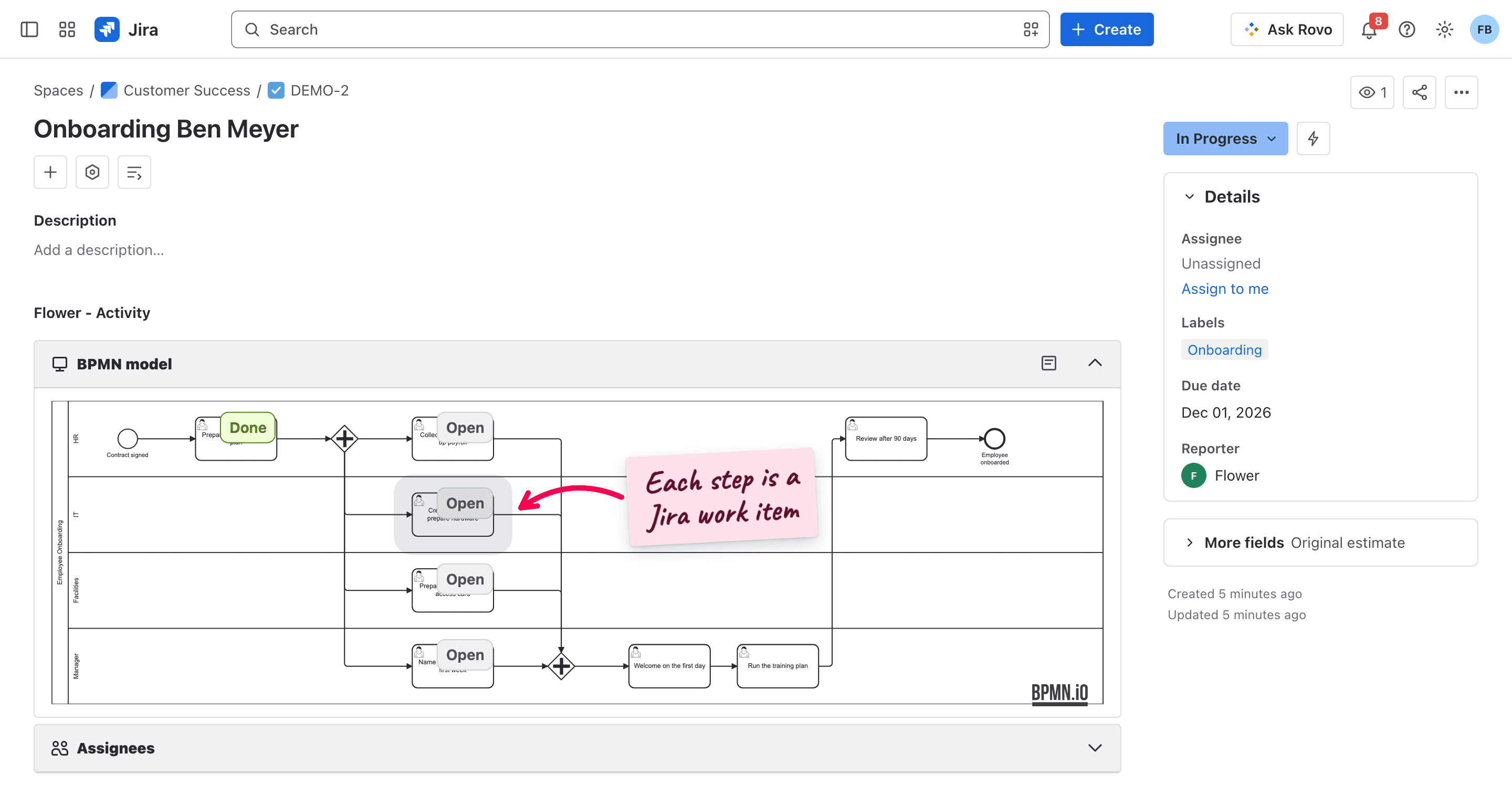
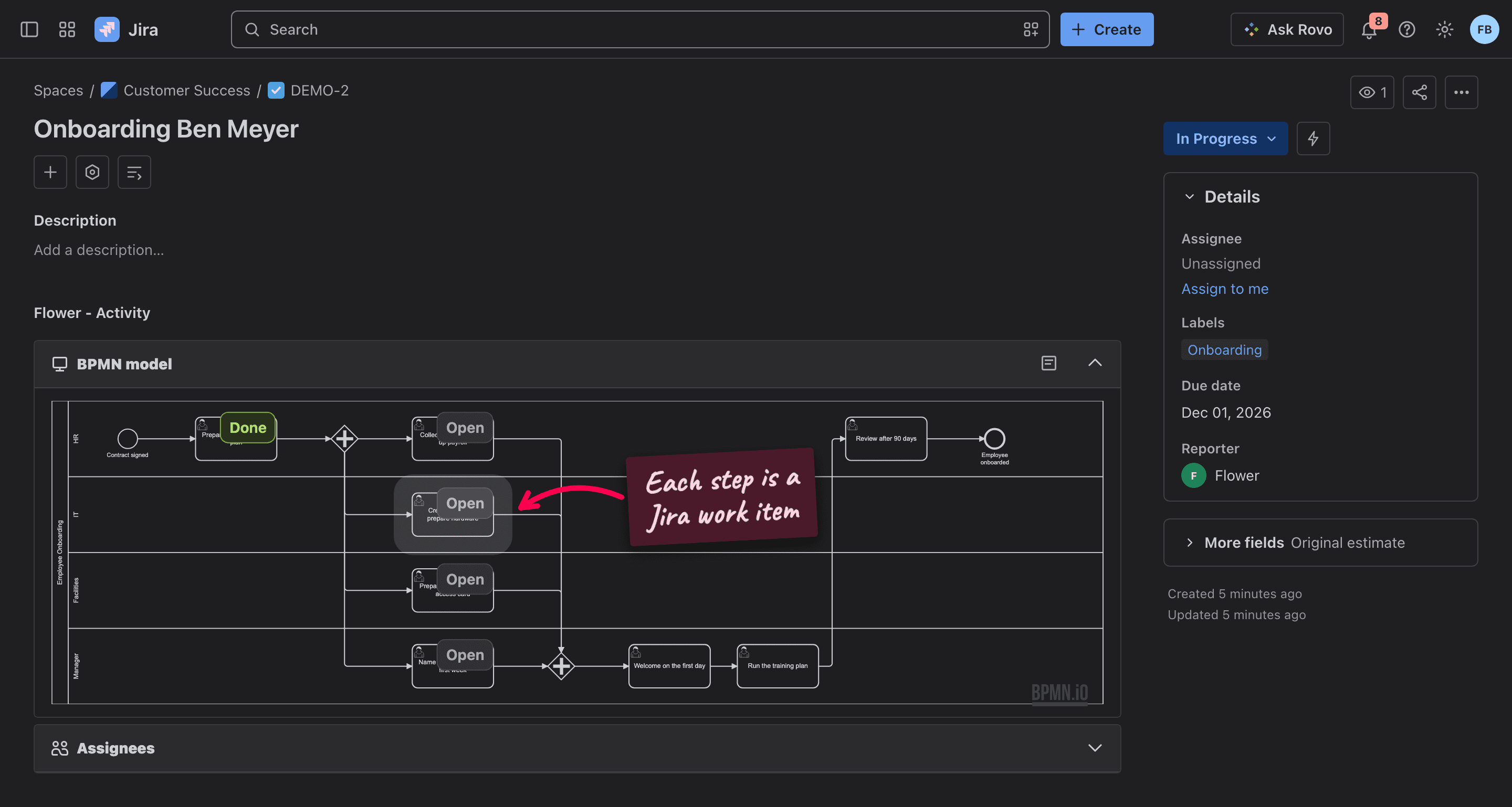

From a diagram to work in Jira, in three steps
- 1
Model the process
Draw the process in the BPMN modeler inside Jira, or start from a template. The lanes say which team does which step. - 2
Start it for a case
Start the process for a new employee, a purchase, or an incident: from the Flower repository, by creating a Jira work item, or through the REST API. - 3
Work in Jira
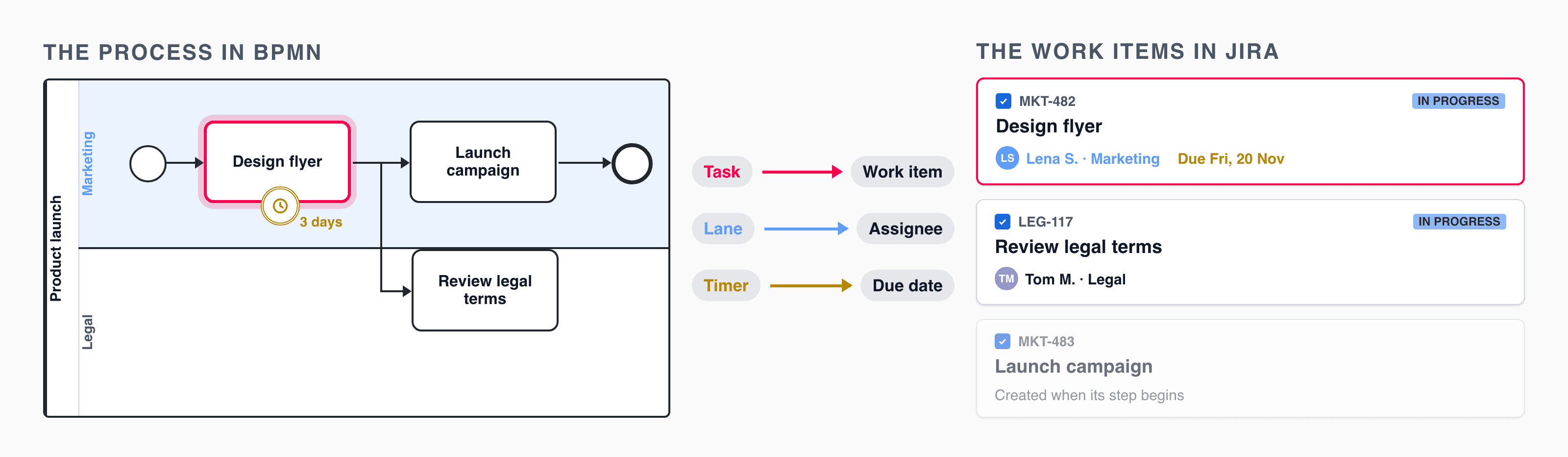
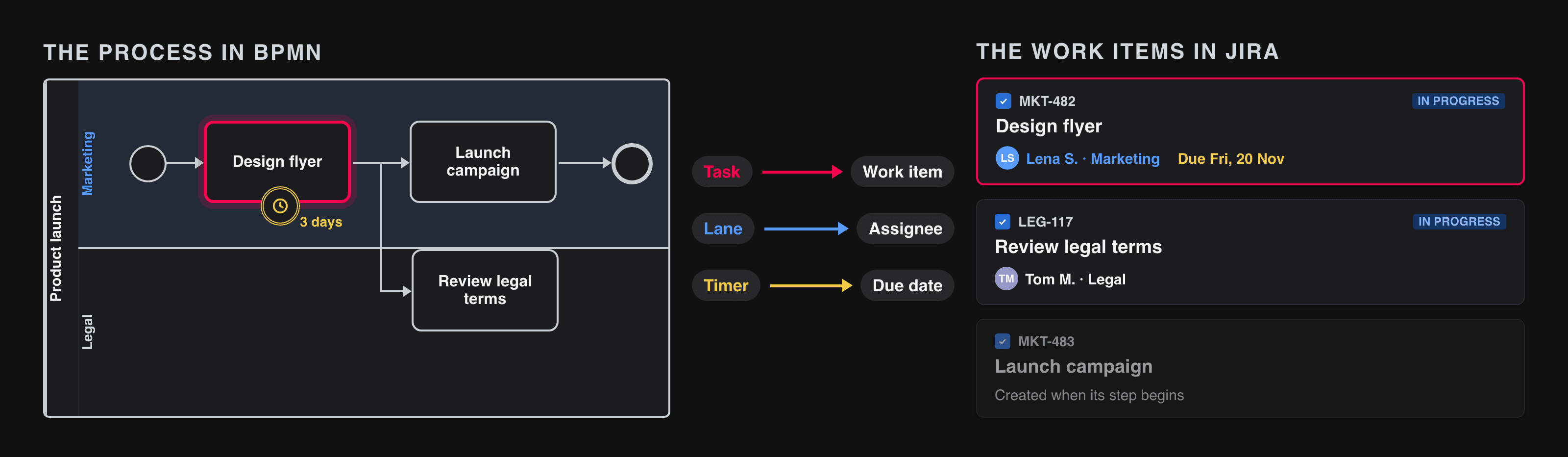
Flower creates the work item of a step when the process reaches it and assigns it through its lane. When the work item is resolved, the process moves on, and the diagram shows where every case stands.
Document processes where the work happens
Process models live in Jira. Everyone looks at the same diagram, and the diagram shows the real status of the work.
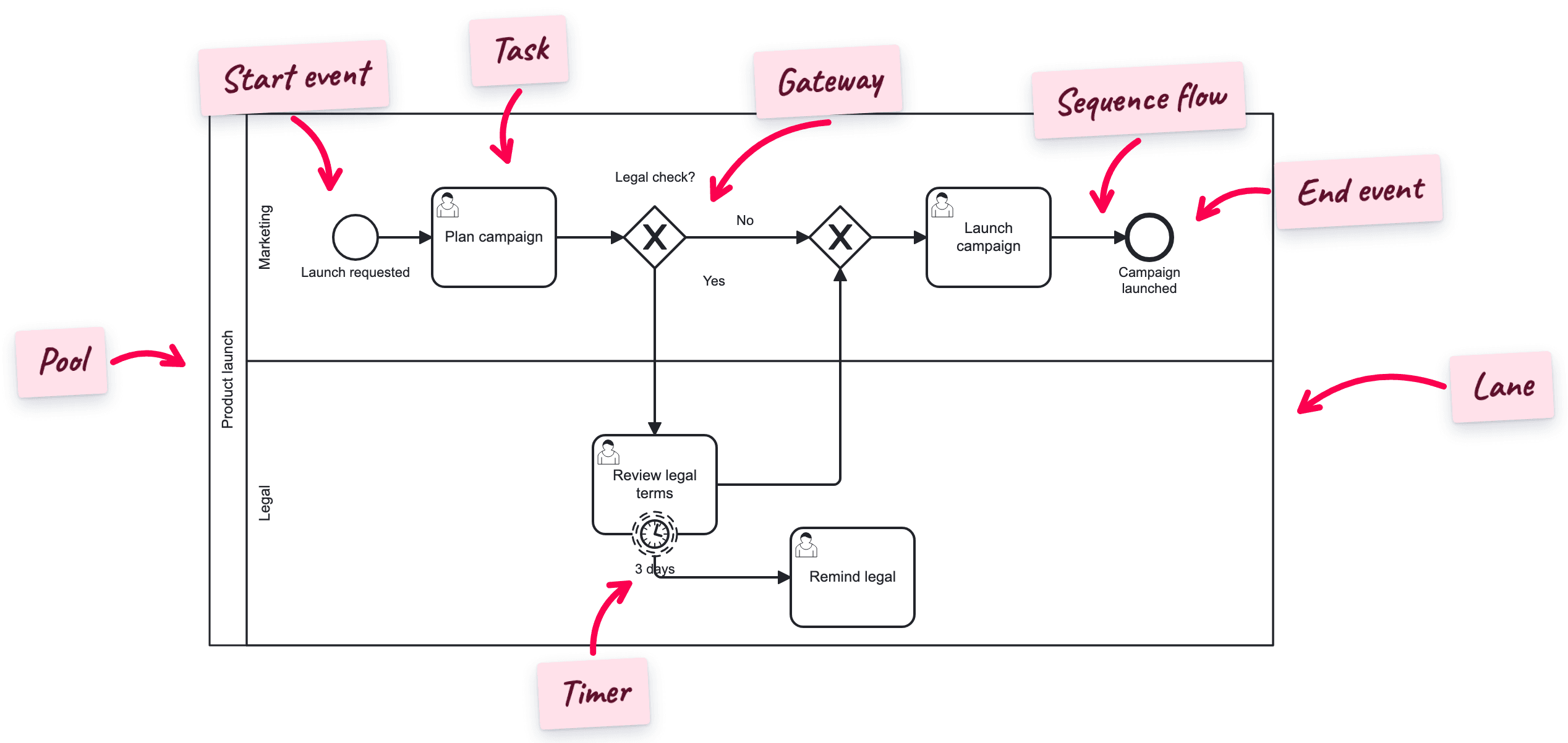
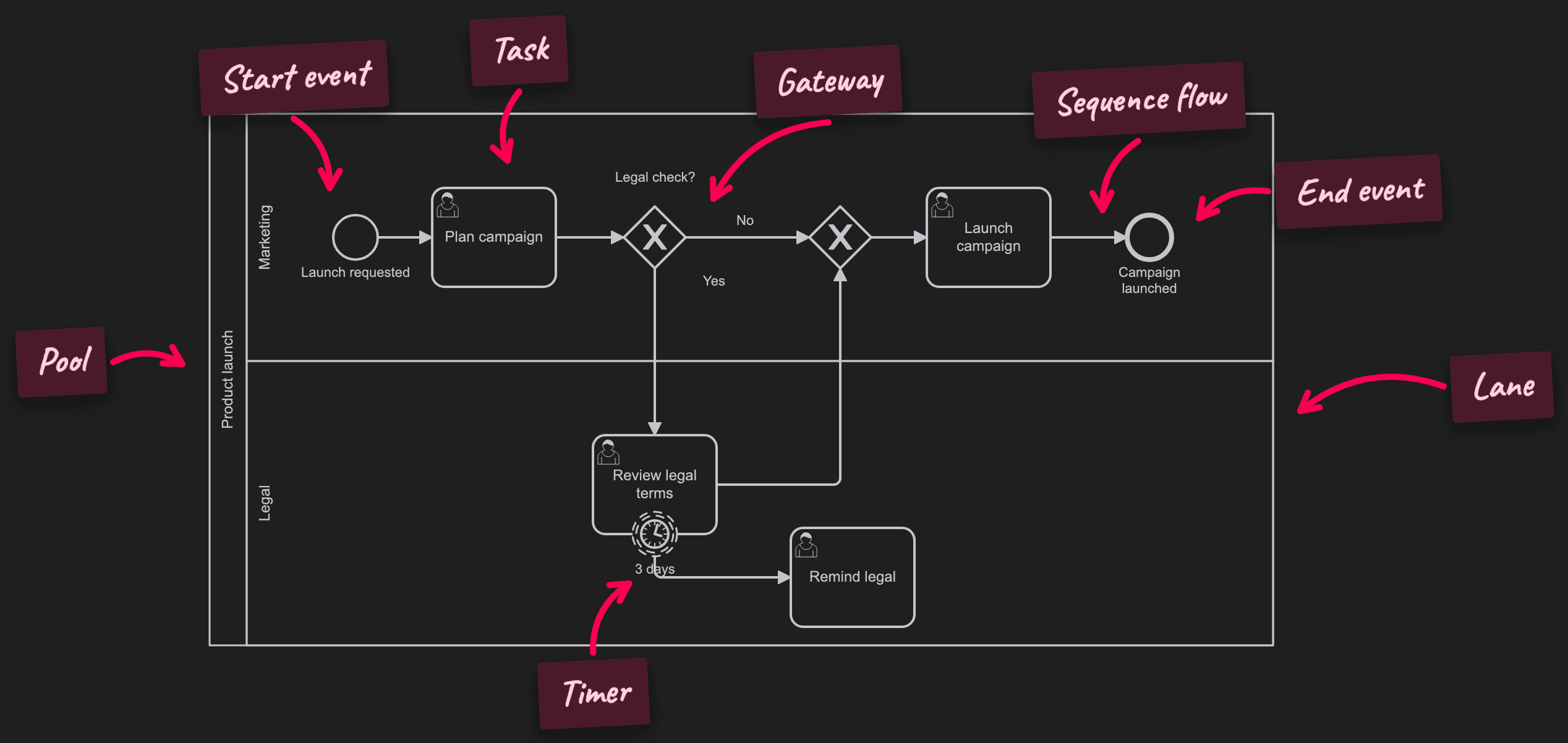
BPMN 2.0, the standard notation
One place for all models
Traceable for audits
Automate what a Jira workflow cannot
A Jira workflow moves one work item through its statuses. Flower connects many work items, teams, and decisions to one process.
Parallel work and decisions
Due dates and escalations
Connected to your tools
Start from a process that already works
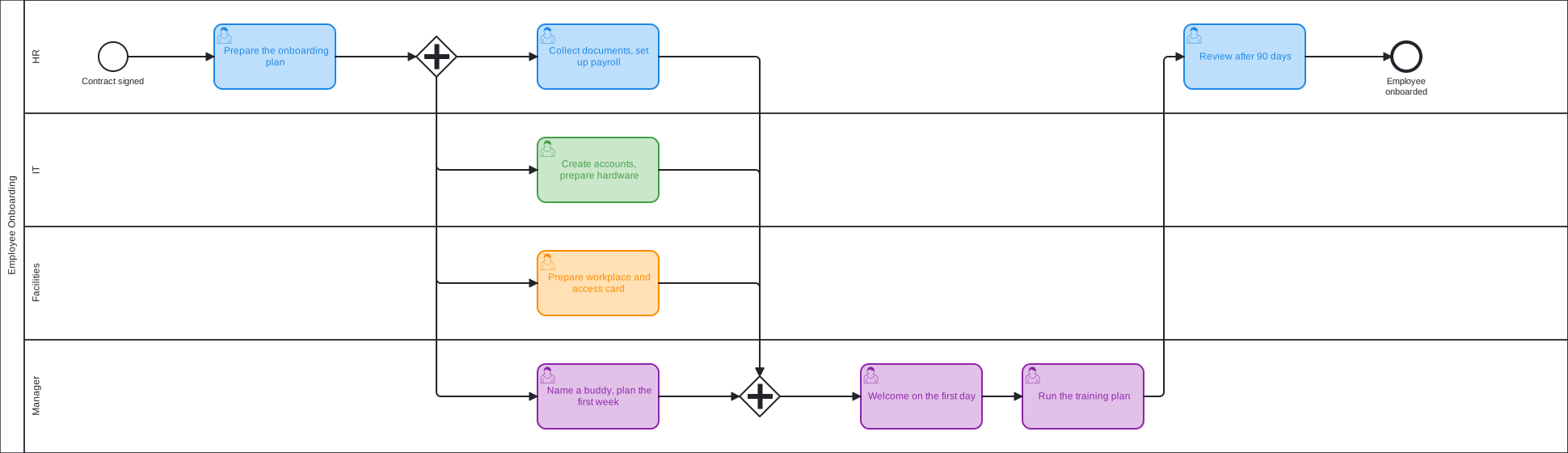
Employee Onboarding
From the signed contract to the review after 90 days: HR, IT, facilities, and the manager prepare the first day in parallel.
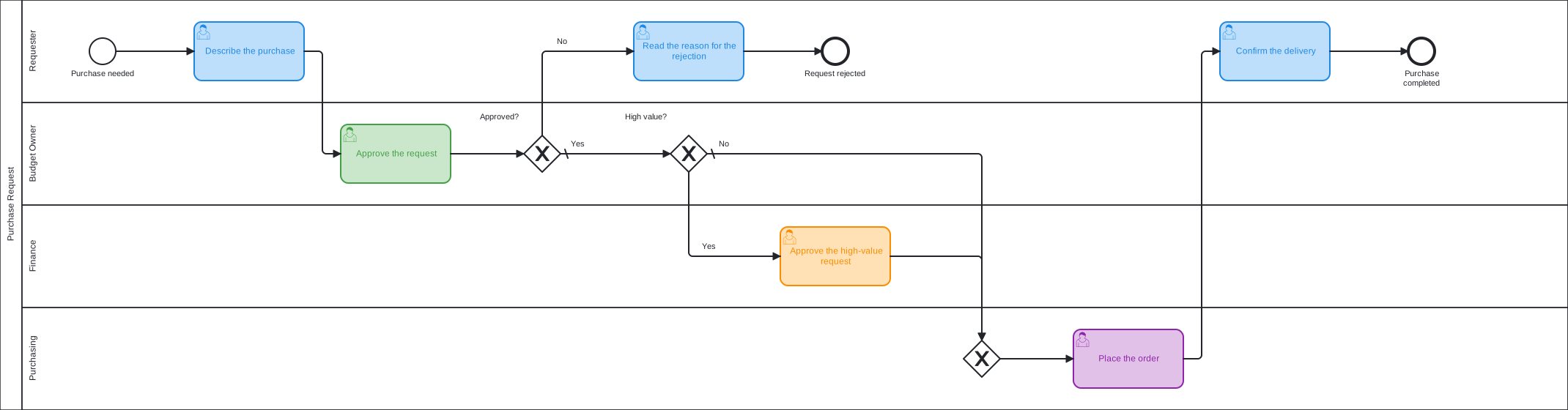
Purchase Request
A purchase with approval by value: the budget owner approves every request, finance approves the high-value ones as well.
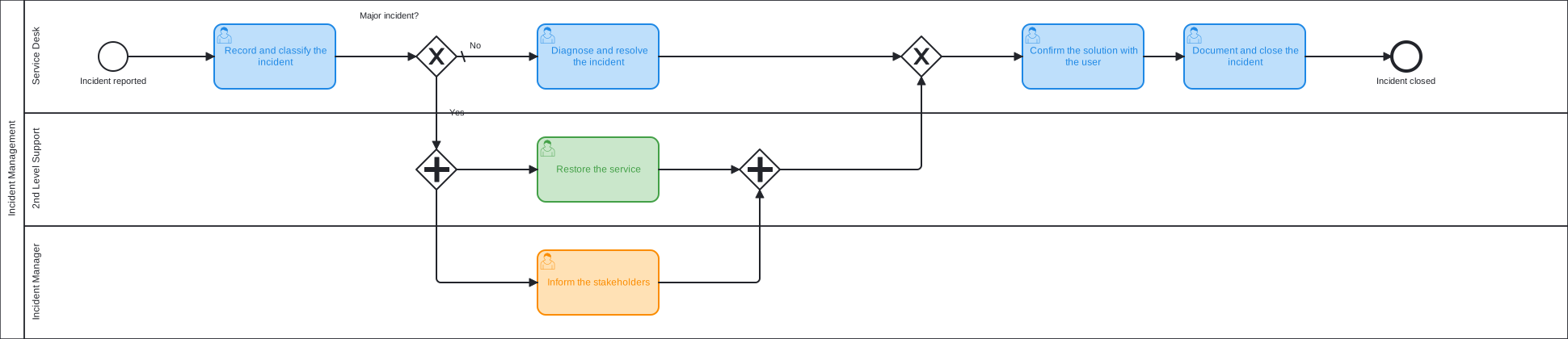
Incident Management
From the report to the closed incident, with a separate path for major incidents that involves 2nd level support and the incident manager.

Change Management
An ITIL change from request to review: the change manager assesses it, significant changes go to the CAB, then build, deploy, and close.