
Business Process Automation for Manufacturing Companies in Jira
In short: Manufacturing companies depend on processes that connect purchasing, production, quality assurance, maintenance, and customer service. With Flower, these processes are modeled in BPMN and run in Jira. Each activity is a Jira work item, swimlanes assign the work to the right team, and timers and escalations keep deadlines under control.
Last updated: October 2026
Manufacturing Processes That Fit Flower
| Process | What Flower does |
|---|---|
| Supplier onboarding and procurement | Runs background checks, approvals, and orders as a traceable process. |
| Order processing and supply chain | Coordinates sales, purchasing, production planning, and logistics. |
| Quality assurance and deviations | Records a deviation, assigns the investigation, and tracks corrective actions. |
| Maintenance | Schedules inspections with timers and escalates overdue work. |
| After-sales and customer service | Handles customer requests through a Jira Service Management portal. |
| New product introduction | Coordinates design, testing, approval, and launch. |
Supply Chain and Procurement
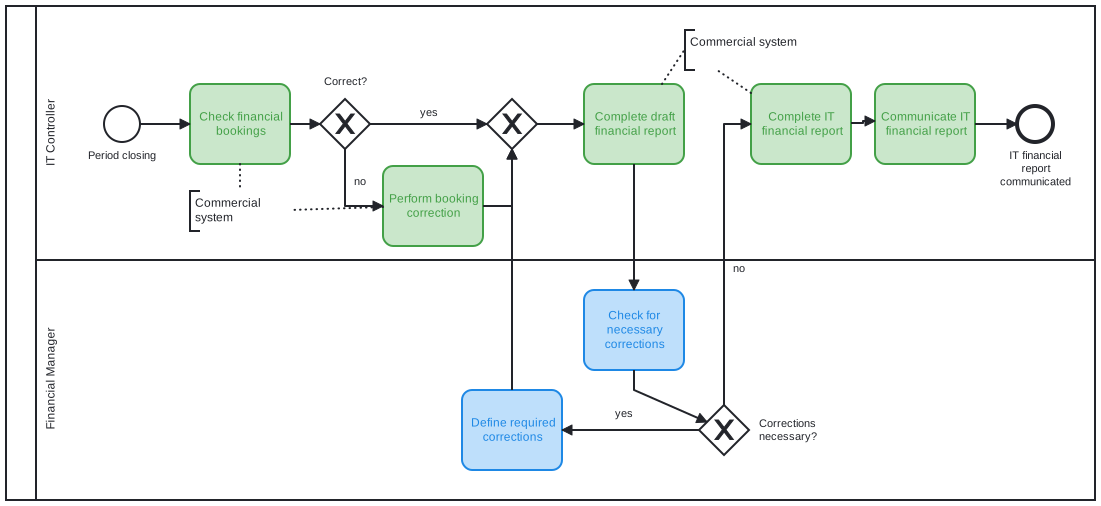
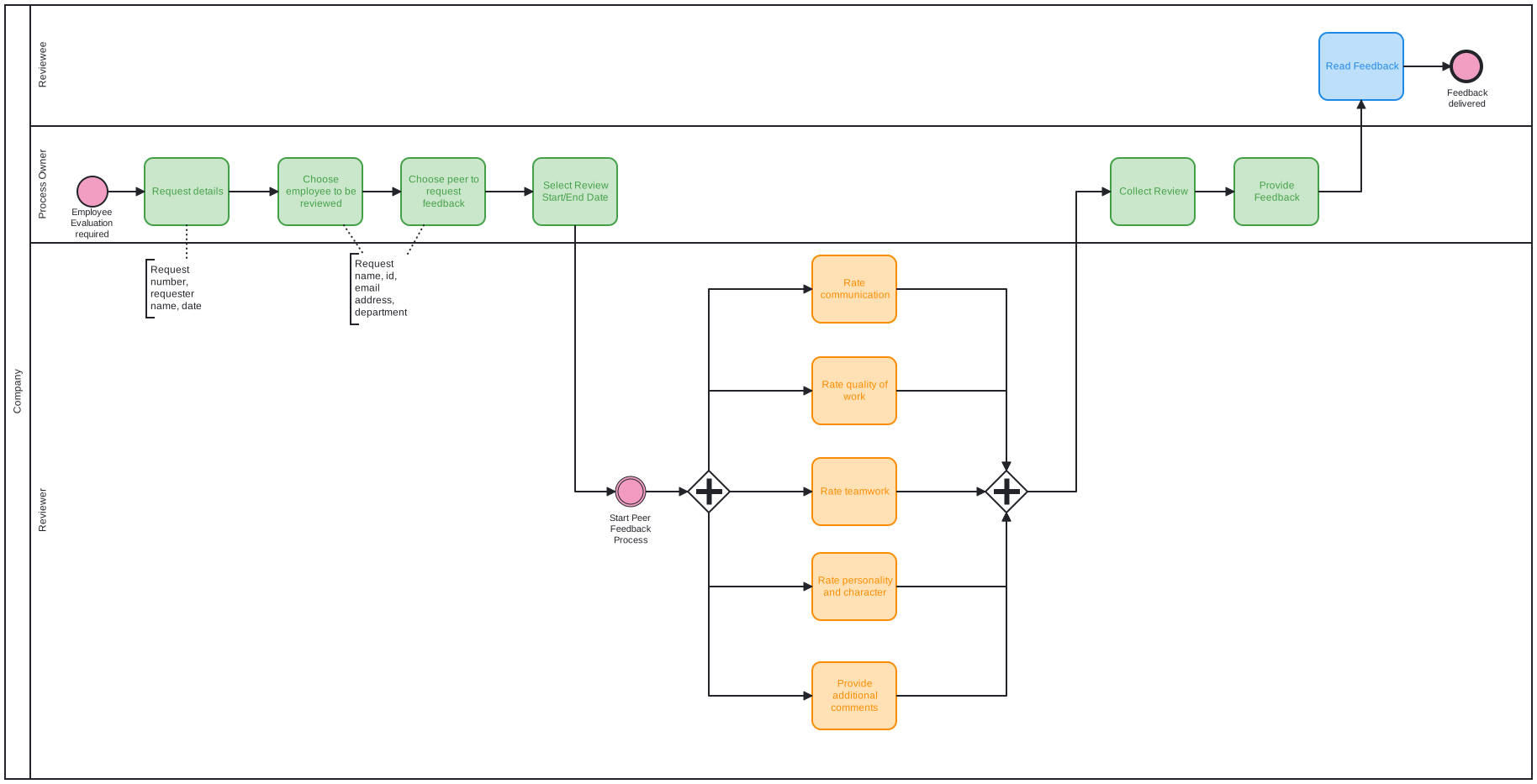
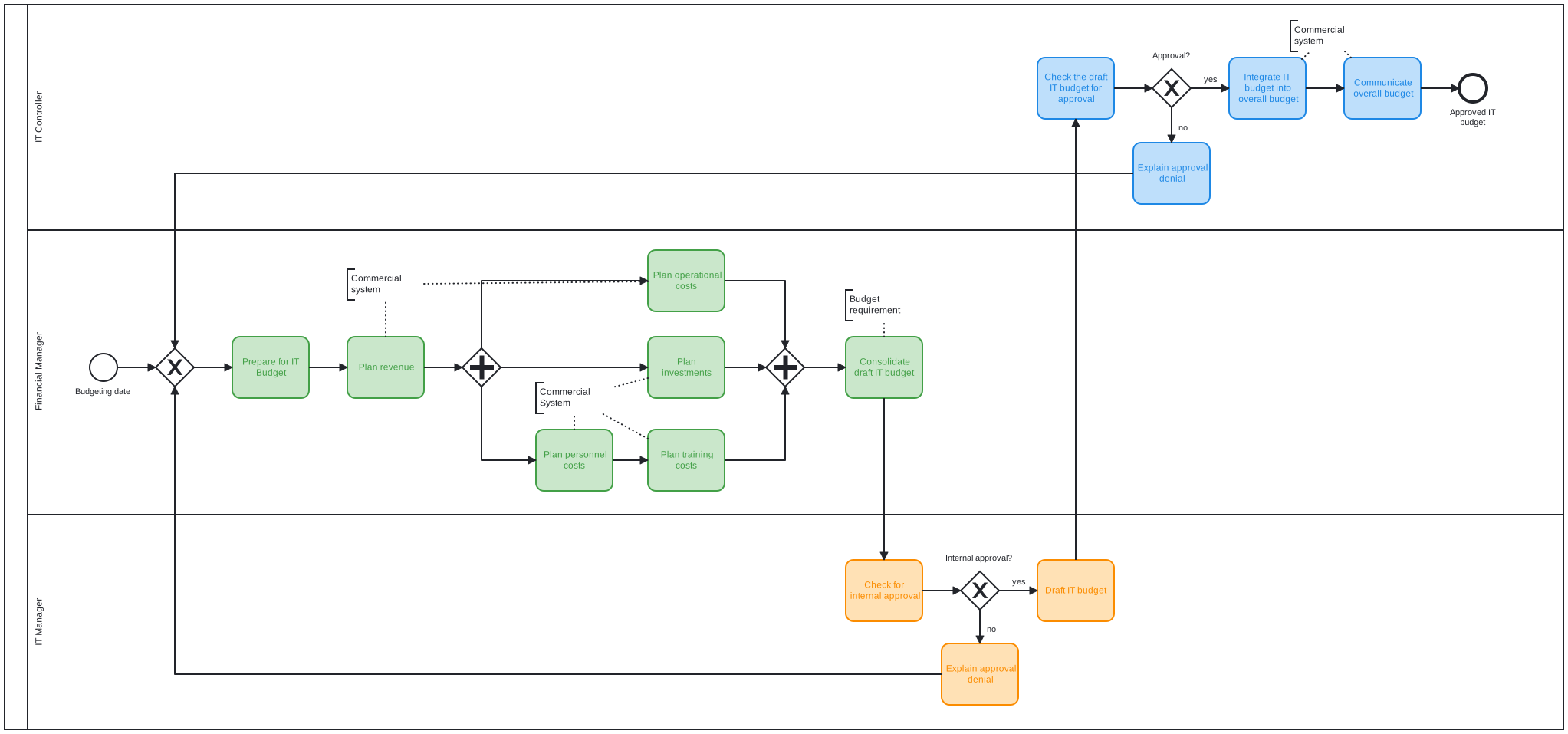
Modernize processes along your supply chain: supplier checks, onboarding, order handling, and resource planning. In Flower, each step is an activity in a BPMN model, so everyone knows who is responsible and what comes next. Parallel branches let purchasing, quality, and finance work at the same time.
Quality Assurance and Maintenance
Quality and maintenance processes repeat and have deadlines. A timer boundary event sets a due date on a work item and starts an escalation path when the date passes. Approvals, such as the release of a batch, are explicit steps in the model. All steps stay visible in Jira, and a Jira filter shows open work per team.
Customer Service
Use Flower together with Jira Service Management to build customer-facing processes. Customers submit requests through the portal, and Flower coordinates the internal steps in service, engineering, and logistics. The request stays the central place for communication.
Connecting Machines and Systems
Machine alerts and sensor data can create Jira work items through a Jira Automation incoming webhook. If the work type of such a work item is mapped to a Flower process model, Flower starts the matching process, for example an inspection and repair process. In the other direction, throw events can call external services. See Sync Magic.
Frequently Asked Questions
Can Flower coordinate processes between production and purchasing?
Yes. Swimlanes represent the teams, and Flower assigns the work items of each lane automatically.
Can I trigger a Flower process from a machine alert?
Yes, indirectly: a Jira Automation rule creates a work item from the alert. If its work type is mapped to a process model, the process starts.
Does Flower replace an ERP or MES system?
No. Flower coordinates the human work and the hand-offs in Jira. It works alongside your ERP and production systems.
About Flower
Flower – Business Process & Workflow Automation (BPMN) for Jira is an app on the Atlassian Marketplace for Jira Cloud and Jira Data Center. It lets you model business processes in BPMN 2.0 and run them in Jira: for every activity of a process, Flower creates a Jira work item, assigns it through swimlanes, shows its status in the process diagram, and continues the process when the work item is resolved. Flower stores all process data in Jira, so your permissions, boards, and reports keep working. Flower is Cloud Fortified and has been on the Atlassian Marketplace for more than ten years.
Start a free 30-day trial on the Atlassian Marketplace or follow the Get Started guide.