BPMN Tasks
BPMN Tasks
Tasks are the basic elements of BPMN processes: atomic units of work that you combine to reach a meaningful result.
Whenever a token reaches a supported task, it stops there and Flower creates a Jira work item. When the work item is resolved, the token continues on the outgoing sequence flow. See User Tasks for how the work item is created and filled.
You decide how fine-grained a task is. For example, you can model processing an order as one task Process Order, or as three tasks Collect Money, Fetch Items, and Ship Parcel.
Supported Task Types
| Task type | What it means in BPMN | Support in Flower |
|---|---|---|
| Undefined task | A task without a specific type | Creates a work item |
| Manual task | Work that people do without software support | Creates a work item |
| Call activity | Calls another process model | Creates a work item that runs the other model as sub-process |
| User task | Work that a person does with the help of software | Creates a work item |
| Service task | Work that a system performs automatically | Ignored during execution |
| Receive task | Waits for a message | Ignored during execution |
| Business rule task | Evaluates business rules | Ignored during execution |
| Script task | Runs a script | Ignored during execution |
| Send task | Sends a message | Ignored during execution |
Supported Task Elements
The following task types create a Jira work item. You assign them through the swimlane and choose the space and work type as described in User Tasks.
Undefined Tasks
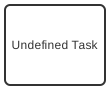
A task without a specific type, also called a plain task. Use it when it does not matter whether the work needs software.
Manual Tasks
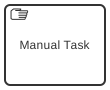
Work that people do without software support, for example signing a paper form.
Call Activities
A call activity runs another process model. Flower creates a work item for it and turns it into a process instance of the called model. When this sub-process is resolved, the process continues. See Sub-Processes. An embedded sub-process, in contrast, is only a graphical device, and Flower does not execute it.
User Tasks
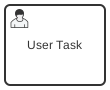
Work that a person does with the help of software. This is the most common task type in Flower.
Task Elements That Are Not Supported
You can model service tasks, receive tasks, business rule tasks, script tasks, and send tasks. Flower ignores them during execution: they do not create a work item. To call Jira Automation or an external service, use a throw event instead.
Service Tasks
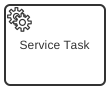
Work that a system performs automatically.
Receive Tasks
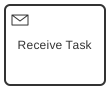
A task that waits for a message.
Business Rule Tasks
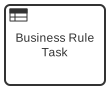
A task that evaluates business rules. To decide between paths, use conditions at an exclusive gateway instead.
Script Tasks
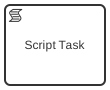
A task that runs a script.
Send Tasks
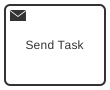
A task that sends a message.
Multi-Instance
Multi-instance markers (parallel and sequential), loop markers, and compensation markers are not supported. Flower ignores them during execution.
To repeat an activity, model a loop: a gateway and a sequence flow that leads back to the activity. When the process returns to an activity that is already completed, Flower reopens its work item. This does not work for a call activity: its sub-process has already ended and would not run again, so Flower writes an error comment at the process instance instead. For this, the Jira workflow must offer a transition without a screen from the completed status back to a To Do or In Progress status. See BPMN Gateways & Decision Handling and 11 Common BPMN Modeling Mistakes.
Learn More
- User Tasks: How tasks become Jira work items.
- BPMN Coverage in Jira: All supported BPMN elements at a glance.