
Jira Service Management (JSM)
Automating JSM Requests with BPMN
Jira Service Management (JSM)
Jira Service Management (JSM) handles service requests, incidents, and approvals in a structured way. Some processes, however, need several teams, parallel tasks, approvals, and dependencies. A JSM workflow alone often cannot model this.
With Flower, a JSM request can be the process instance of a BPMN process. Flower coordinates all related tasks in Jira, while JSM keeps handling the request, the SLAs, and the communication with the customer.
This page is about service spaces. In software and business spaces, the same setup works with work types, see Setup Flower.
Example: IT Change Management
A common use case is IT change management. An employee submits a change request in the JSM portal, for example to update a production system or to deploy new infrastructure.
- The customer submits the request. Jira creates a work item for it.
- The work type of the request is mapped to a BPMN model, so Flower starts a process. The work item of the request becomes the process instance.
- Flower creates a work item for each activity of the process, for example for the review, the approval, and the deployment. Swimlanes assign them to the right teams.
- When the process ends, Flower resolves the work item of the process instance, and with it the request.
An example BPMN process for IT change management might look like this:
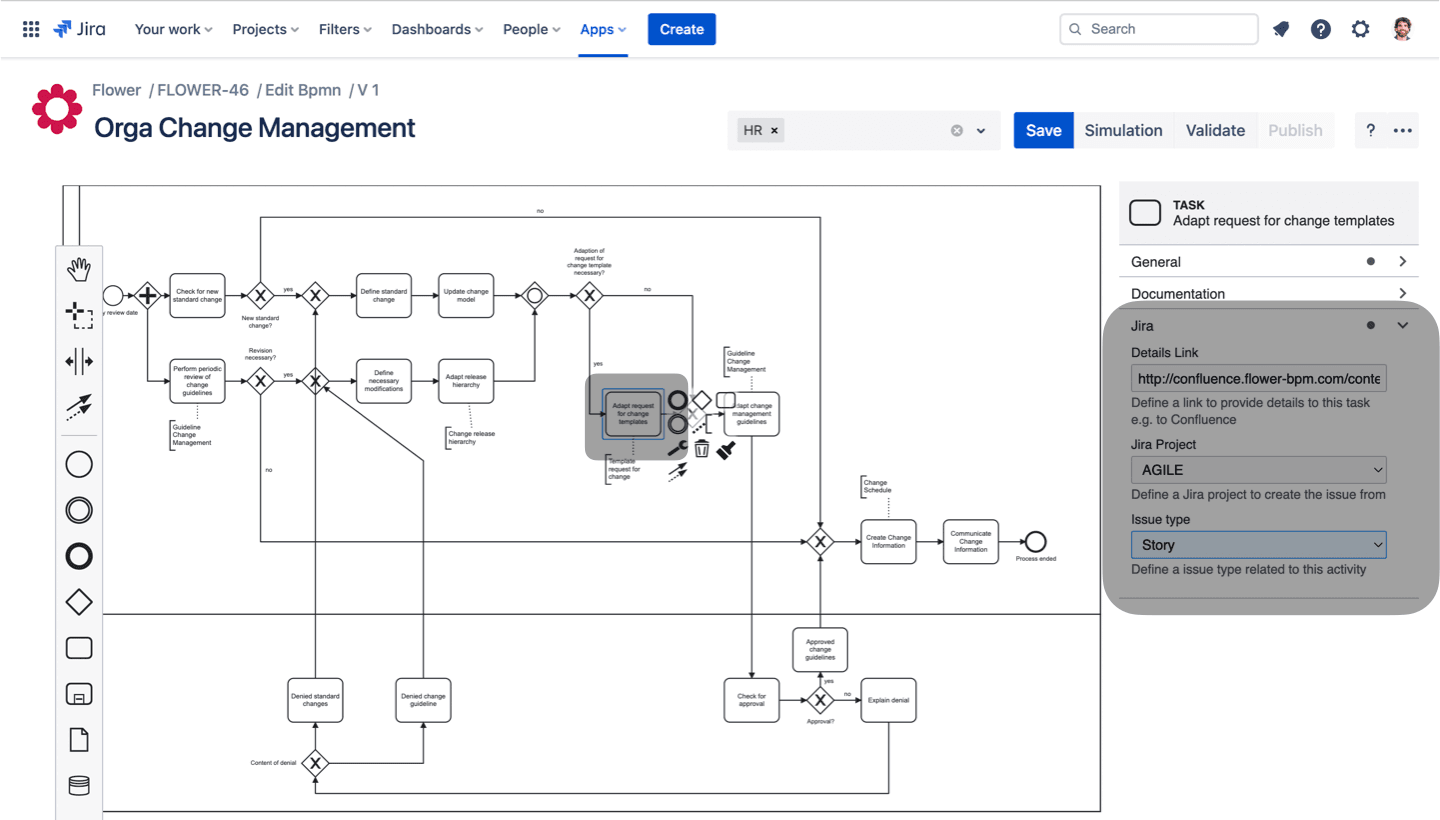
JSM and Flower share the work:
- The request stays the central form where all process data is collected, and the main channel for communication with the requester.
- The Flower view in the request shows the BPMN process, its status, and the active tasks.
- JSM features such as request types, SLAs, organizations, and resolution times keep working. Timer events can also set the due date.
- The assignment of the request follows the usual JSM rules. All other activities are assigned dynamically through swimlanes.
- Jira automations keep working in parallel and can also be triggered from the process, see Trigger Jira Automation from BPMN.
Flower creates the activities in the space you configure. For a process with several teams, you can use a different space for each swimlane or activity, for example the space of the team that does the work. See Defining Jira Space & Work Type.
Set Up Flower with JSM
Flower starts a process when a work item of a mapped work type is created. In a service space, every request type is connected to a work type, and a request that a customer submits becomes a work item of this work type. So you map the work type of the request type, not the request type itself.
- In your service space, create the request type. Open Space settings, then Request management, then Request types, and select Create request type. If the request type should start its own process, choose a work type that no other request type uses. Add the work type to the space first if necessary.
- In the Flower Settings, open the Work Type Mapping tab. Select the service space, the work type of the request type, and the model, and click +.
From now on, every new work item of this work type in this space starts a process. See Step 2: Configure the Work Type Mapping for details.
The mapping applies to the work type, not to the request type. Request types that share a work type start the same process, and so do work items that agents create with this work type.
These steps apply to company-managed service spaces. Team-managed service spaces handle request types and work types differently, see Atlassian’s overview How work types and request types differ in team-managed spaces . To learn how request types and work types relate, see What’s the difference between request types and work types?
When to Use Flower with JSM
Use Flower with JSM if:
- A request triggers several dependent tasks across different teams.
- A process needs dynamic approvals that depend on the details of the request.
- Several actions must run in parallel or in a fixed sequence.
- JSM’s built-in workflows are too limited for the interaction you need.
- The process involves timeouts, escalations, or conditional logic that a Jira workflow cannot handle.
Summary
- A JSM request can start a BPMN process in Flower. The work item of the request becomes the process instance.
- You map the work type of the request type to a model, not the request type itself.
- The Flower view in the request shows the process and its active tasks.
- JSM features such as request types and SLAs keep working, and BPMN adds the process logic.
- The request follows the JSM assignment rules, and Flower assigns all other activities through swimlanes.
- Jira automations work alongside the process and can also be triggered from it.
With Flower, JSM can handle complex service processes across several teams.
What’s Next?
- Setup Flower: Configure the space, work types, and work type mapping.
- User Tasks: Learn how activities become work items and how to set the space and work type.
- Trigger Jira Automation from BPMN: Start Jira automations from your process.