
How to Clone Jira Work Items, Epics, and Projects
Recurring projects are processes
In short: Jira’s built-in clone function copies a work item (formerly called an issue) once and can include related data such as sub-tasks, links, attachments, and, for epics, the child work items. To repeat a structure again and again, create it in different spaces, and track every run, you need a template. A recurring set of work items is a process. With Flower, you model it once as a BPMN process and start it as often as you need. Each start creates the work items and their relations.
Last updated: October 2026
The question how to clone Jira work items comes up again and again in the Atlassian Community. It applies to many Jira objects, from a single work item to epics, sprints, and whole spaces (formerly called projects). This guide shows the options.
What Does Context Mean When You Clone?
First decide whether you want to clone a single work item or more of its context. Context has a structural part, which describes how work items relate to each other, and a data part, such as priority, sprint, or description. It can consist of:
- Form fields of the work item, like summary, description, or custom fields
- Attachments, links, and references to Confluence pages
- Comments
- Hierarchies like epic, story, task, and sub-task
- Linked work items like blockers or duplicates
- Predecessor and successor work items
How to Clone a Single Jira Work Item
Jira has a built-in clone function. It duplicates a work item within the same space and copies most of its information, such as summary and description. The clone dialog lets you include more: attachments, sub-tasks, links, comments, custom fields (if they are set up to be cloned), and, for epics, their child work items.
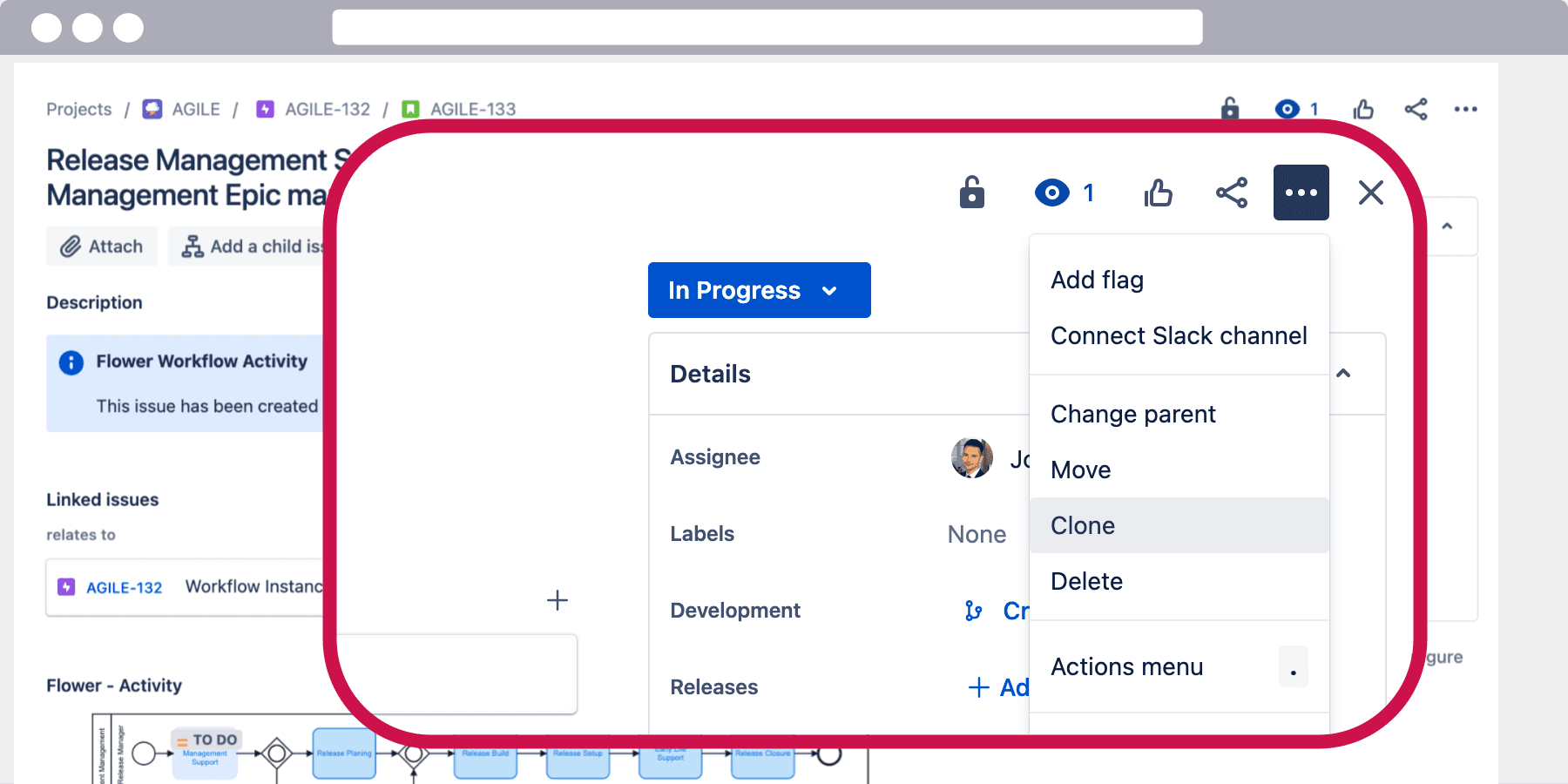
Learn more about cloning a single Jira work item
Built-in cloning is a one-time copy. It does not give you a reusable template, and it does not track the copies as one unit.
Recurring Projects Are Processes
Projects are usually one-time endeavors with a set of tasks. If you repeat the same tasks again and again, you clone the project, and then you are running a process.
Processes are described as templates that you can run as often as required. To clone a Jira space or a larger structure, you therefore need a process template that contains all tasks and relations.
You can describe a process in several ways. The most common way is a visual process model in BPMN, like this one:
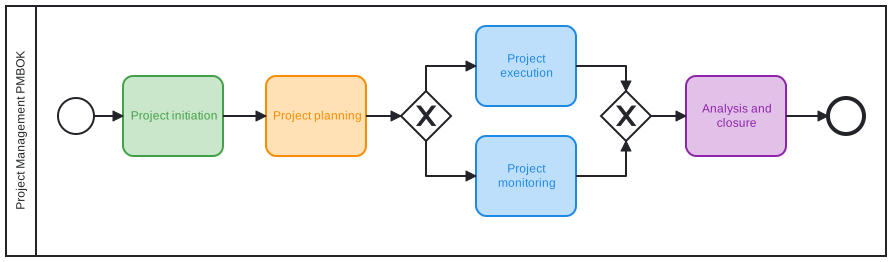
When your model is ready, you start it. Flower then creates the work items of your model with their relations in Jira. See Jira Project Management vs. Business Process Management for the difference between projects and processes.
Automate the Creation of Recurring Work Items
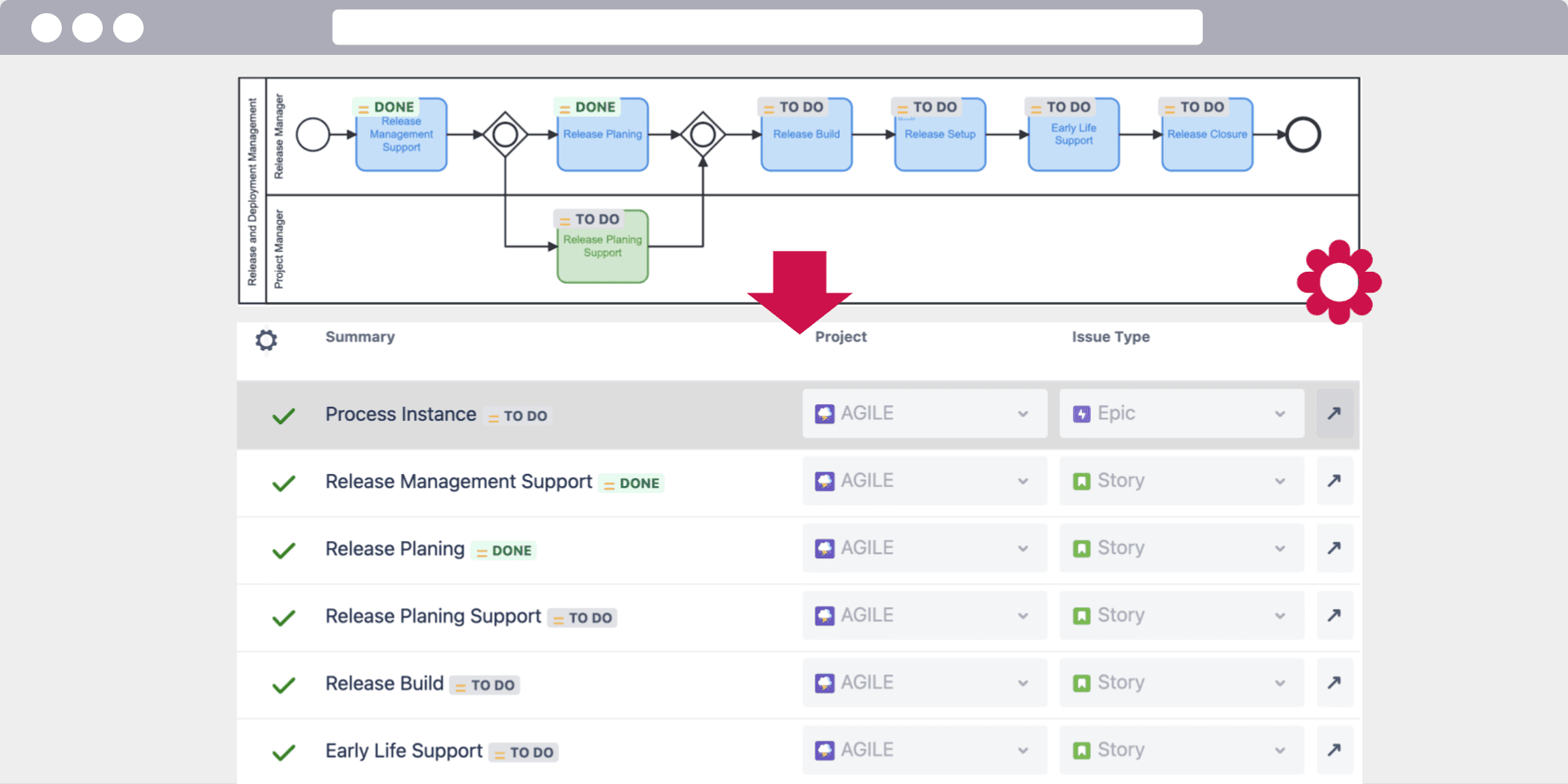
Cloning a set of work items is often a task you want to do regularly. With Flower, you automate it. The cloned work items are bundled as a process instance. It carries information such as:
- The status of the whole set of work items
- Common form fields
- The count of instances per work item
Clone Work Items into Multiple Spaces and Work Types
The process template already contains the information in which space and with which work type each work item is created. To stay flexible, you can overwrite these defaults each time you start the process:
Clone an Epic Including Stories and Sub-tasks
Often it is hard to see a whole space as one process. Then you pick building blocks such as epics as your template. An epic is a large body of work that contains smaller stories or tasks. Jira can clone an epic together with its child work items, which is useful when a new feature is similar to an existing one. If you need the same structure again and again, a process template is easier to reuse.
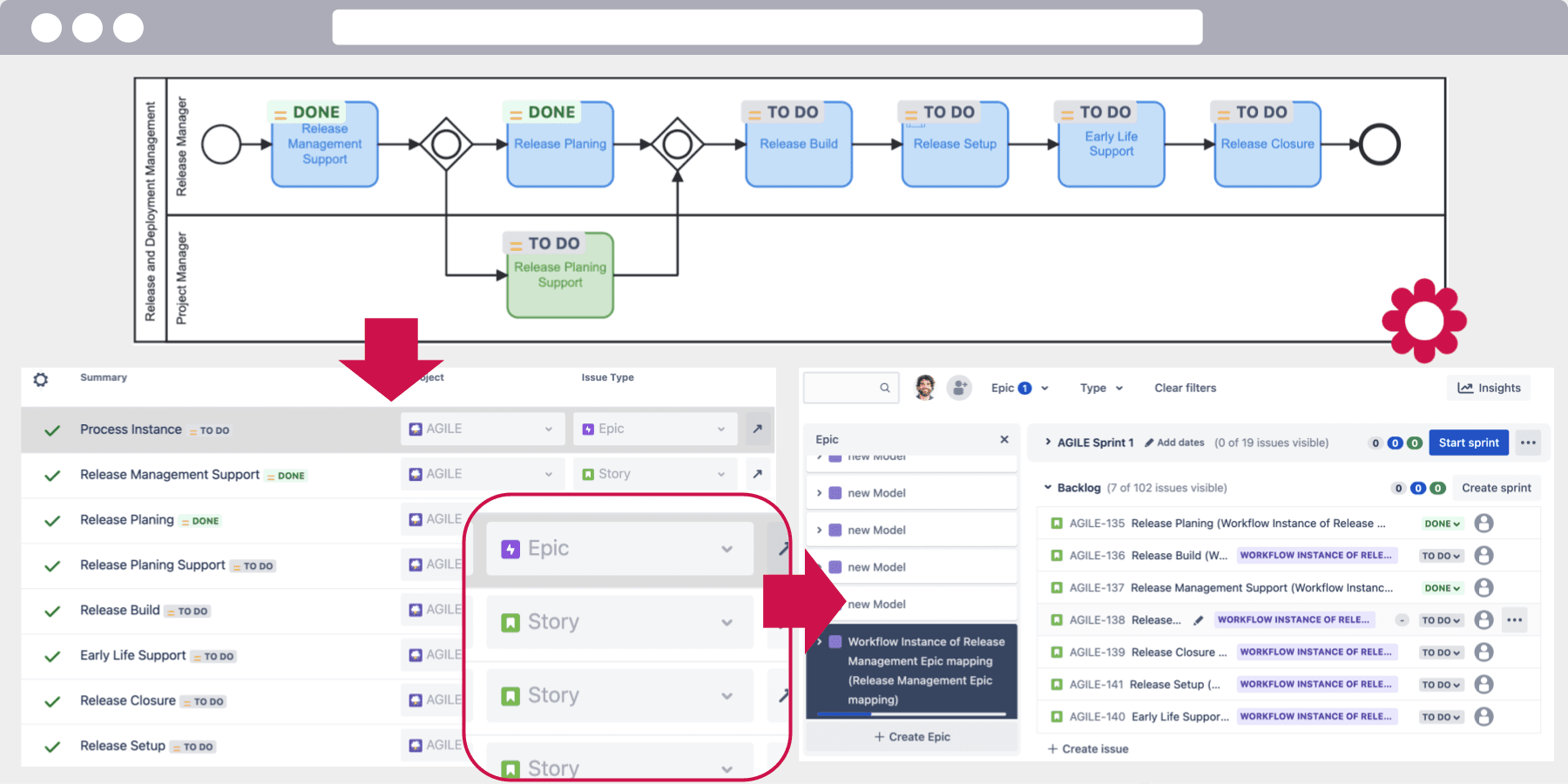
With a process template, you decide which work items belong to the structure, and you can start it as often as you like. A typical mapping between Jira work types and Flower entities is:
| Jira work type | Flower entity |
|---|---|
| Epic | Process model |
| Story | Process instance |
| Task | Process activity |
| Sub-task | Ad-hoc activity |
You can configure other work types in the Flower Settings. See Setup Flower.
Built-in Clone vs. Process Template
| Built-in clone | Flower process template | |
|---|---|---|
| Scope | One work item, optionally with sub-tasks, links, and for epics the child work items | A whole structure of work items with relations |
| Reuse | A manual copy each time | Start the process as often as needed |
| Target | Same space | Different spaces and work types per start |
| Tracking | None | Process instance with status of all work items |
Frequently Asked Questions
How do I clone a Jira work item?
Open the work item, choose the clone action, and select which related data to include.
How do I copy an epic with its stories and sub-tasks?
Clone the epic and include its child work items in the clone dialog. For a structure that you need again and again, model it as a process template. Flower creates the epic, stories, tasks, and sub-tasks as defined in the model.
Can I clone a whole Jira space?
How you copy a space depends on your Jira plan and the type of space, and Marketplace apps cover more cases. If the space contains a repeatable set of work items, describe it as a BPMN process and start it for each new space. This also tracks every run.
About Flower
Flower – Business Process & Workflow Automation (BPMN) for Jira is an app on the Atlassian Marketplace for Jira Cloud and Jira Data Center. It lets you model business processes in BPMN 2.0 and run them in Jira: for every activity of a process, Flower creates a Jira work item, assigns it through swimlanes, shows its status in the process diagram, and continues the process when the work item is resolved. Flower stores all process data in Jira, so your permissions, boards, and reports keep working. Flower is Cloud Fortified and has been on the Atlassian Marketplace for more than ten years.
Start a free 30-day trial on the Atlassian Marketplace or follow the Get Started guide.