Incident Management
Incident Management
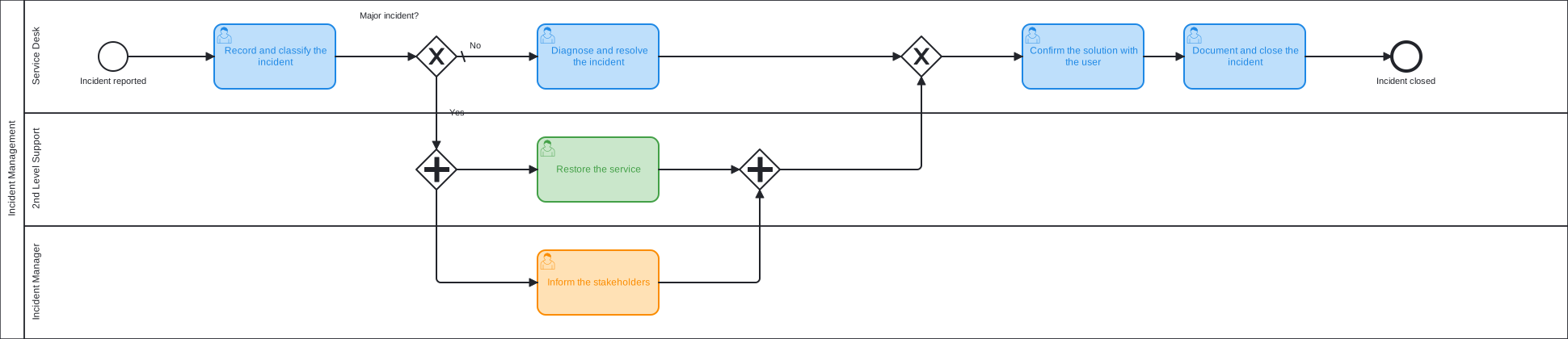
From the report to the closed incident, with a separate path for major incidents that involves 2nd level support and the incident manager.
Download Business Process Template for Free
Use the process template as it is or adjust and extend it to your needs.
The service desk records and classifies the incident. A gateway separates major incidents from all others. A normal incident is diagnosed and resolved by the service desk. For a major incident two tasks start at the same time: 2nd level support restores the service, and the incident manager informs the stakeholders.
Both paths meet again. The service desk confirms the solution with the user, documents the incident, and closes it.
The template treats an incident as major when its process instance has the label major-incident. Adapt it: start the process from a Jira Service Management portal, and add a timer to the resolution so that the agreed solution time is visible as due date.
Learn More