#1 Simple Serial User Task Flow
#1 Simple Serial User Task Flow
The first steps with Flower: tasks in a row, each one a Jira work item that is assigned by its swimlane.
Download Business Process Template for Free
Use the process template as it is or adjust and extend it to your needs.
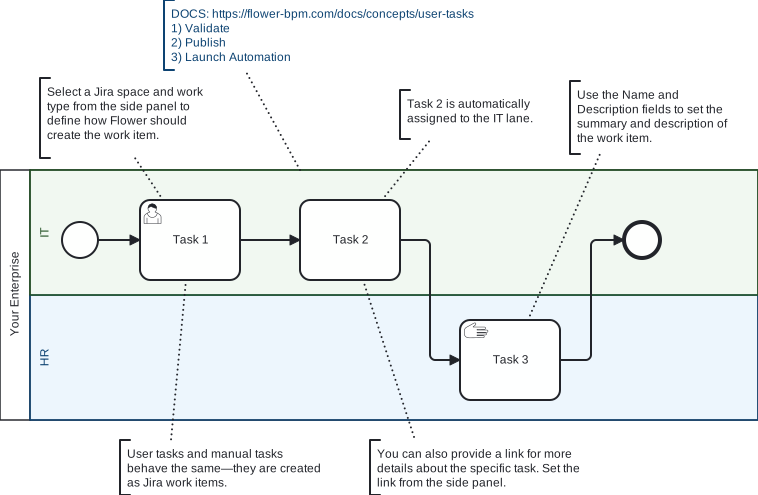
The smallest process that Flower can run. Three tasks follow each other, and each task sits in a swimlane.
When you start the process, Flower creates a Jira work item for the first task and assigns it through the lane. When that work item is resolved, the process moves on and creates the next one. After the last task the process instance is resolved too.
The notes in the diagram explain where to set the Jira space and the work type of a task, how name and description of a task become summary and description of the work item, and that user tasks and manual tasks behave the same.
Use it to learn how a model, a process instance, and its work items belong together before you build your own process.
Learn More