BPMN Pools and Lanes
In short: Pools and lanes show who takes part in a process. A pool is one participant, for example a company, a department, or a system. A lane divides a pool into roles or teams. Both are drawn as long rectangles with a name, and together they are called swimlanes.
Guide: Assign Work with Swimlanes shows how lanes assign Jira work items in Flower, step by step.
Symbols
| Symbol | Element | Meaning |
|---|---|---|
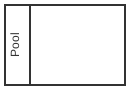 | Pool | A participant. It contains one process |
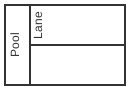 | Lane | A role, a team, or a system inside the pool |
| Empty pool | Black box pool | A participant whose process you do not show, for example the customer |
How Pools Work in BPMN
A pool stands for one participant and holds exactly one process. Inside a pool, the steps are connected with sequence flows. A sequence flow never crosses the border of a pool.
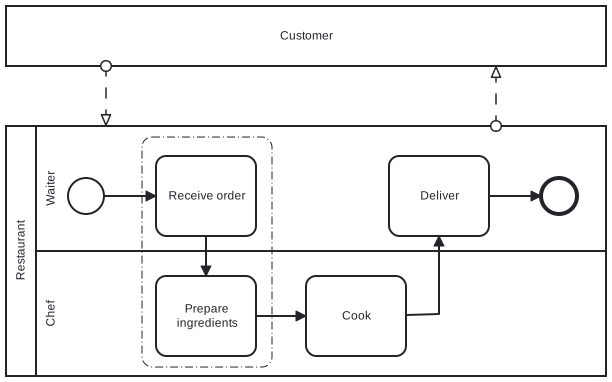
Two pools talk to each other with message flows, the dashed arrows. A diagram with several pools is called a collaboration.
A black box pool has no content. Use it for a participant whose inner work does not matter for your process. In the example below the customer is a black box: the diagram is about how the chef prepares the meal, not about what the customer does meanwhile.
How Lanes Work in BPMN
A lane groups the steps of one role. Every task, gateway, and event sits in exactly one lane. Sequence flows cross lanes freely: that is how a diagram shows a handover from one role to the next.
- Name a lane after a role or team (Legal, Team Lead), not after a person. People change, roles stay.
- Lanes can be nested, for example teams inside a department. Do not use nesting to draw your organization chart.
- Lanes can be horizontal or vertical. The meaning is the same.
In Flower and Jira
Lanes assign the work. Jira has one assignee per work item and no assignment to a role. Flower fills this gap:
- The first time someone is assigned to a work item of a lane, Flower remembers this person for the lane. Work items that are created later in the same lane get the same assignee.
- When you reassign one work item, the open work items of the whole lane follow.
- The assignment applies within one process instance. The next instance can have other people in the same roles.
See Swimlanes for the details and Automatic Jira Assignment with BPMN Swimlanes for the background.
Pools run together. Flower runs all pools of a model in one process instance. A message flow delivers its message from a throw event in one pool to a catch event in another pool, inside the engine. The instance is complete when the last pool has ended. See Message Flows.
Black box pools are documentation. A message flow to or from a black box pool is ignored during execution.
Common Mistakes
- A task on the border between two lanes. A step belongs to one role. If two roles work on it, model two tasks.
- A sequence flow between two pools. Use a message flow.
- One lane per person. The model breaks as soon as someone changes the team.
- A lane for a system that does nothing in the process. Leave it out.
More in 11 Common BPMN Modeling Mistakes.
Read More
- Swimlanes: how Flower assigns work items by lane
- Message Flows: let the pools of a model talk to each other
- BPMN Flows: sequence flows and message flows
- All BPMN symbols at a glance
Frequently Asked Questions
What is the difference between a pool and a lane?
A pool is a participant of the process, such as a company or a department, and holds its own process. A lane is a part of a pool and stands for a role or a team.
What is a swimlane in BPMN?
Swimlane is the common word for pools and lanes. The picture is a swimming pool with lanes: every swimmer stays in their lane.
Does a BPMN diagram need a pool?
No. A process can be drawn without a pool. Use pools when several participants exchange messages, and lanes as soon as more than one role does the work.
Can a sequence flow cross lanes?
Yes. Sequence flows cross lanes of the same pool. They never cross the border of a pool.