Jira as a BPM System, Part 5: Operating and Governing Processes in Jira
In short: Operating BPM in Jira is mostly operating Jira. Every model, every process instance, and every task is a work item, so you monitor processes with JQL, boards, and dashboards, control access with Jira permissions, and take requests in through Jira Service Management. What is specific to processes is small: the process instance as the place to see one case, the versions of a model, a few differences between Cloud and Data Center, and limits you should know before you start. This last part covers them and ends with a checklist.
Last updated: November 2026
- 1Why Jira Is a BPMN Platform, Even Without a Gartner Quadrant
- 2Jira Workflow vs. Business Process
- 3Modeling Processes in BPMN
- 4Running BPMN Processes in Jira
- 5Operating and Governing Processes in Jira (this article)
Disclosure: the author works for the vendor of Flower, the BPMN app for Jira that this part uses as the engine.
Recap of parts 1 to 4: a Jira workflow covers one work item, and a business process connects many. With a BPMN engine in Jira, the diagram runs: every task becomes a work item, lanes pass on the assignee, gateways decide on Jira fields, timers set due dates, and Jira statuses throw errors and escalations. The example is a purchase request that passes procurement, the budget owner, the requester, and finance.
Key takeaways
- One case is watched in its process instance: the diagram with the status of every task, and the comments of the engine.
- Many cases are watched with JQL: the engine adds fields for the model, the lane, the activity, the timer, and the version.
- There is no second permission model. Spaces and Jira permissions decide who sees models, cases, and tasks.
- A request in Jira Service Management can be the process instance. You map its work type, not the request type.
- A new version of a model applies to new cases. Running cases finish on the version they started with.
- BPMN in Jira is for work that people do. For system-to-system orchestration at high volume, a dedicated engine is the better choice.
What Does It Mean to Operate a Process?
Operating a process means keeping a published model running: watching the cases, removing what blocks them, deciding who may do what, and changing the model in a controlled way.
It is a loop, and each step has its place in Jira:
| Step | Question | Where in Jira |
|---|---|---|
| Model | What should happen? | The BPMN modeler. The model is a work item |
| Publish | Which version is valid? | A published version of the model |
| Run | Who does what now? | Process instances and the work items of their tasks |
| Monitor | Where does it stand, and where does it wait? | The process instance, JQL, boards, dashboards |
| Improve | What do we change? | The next version of the model |
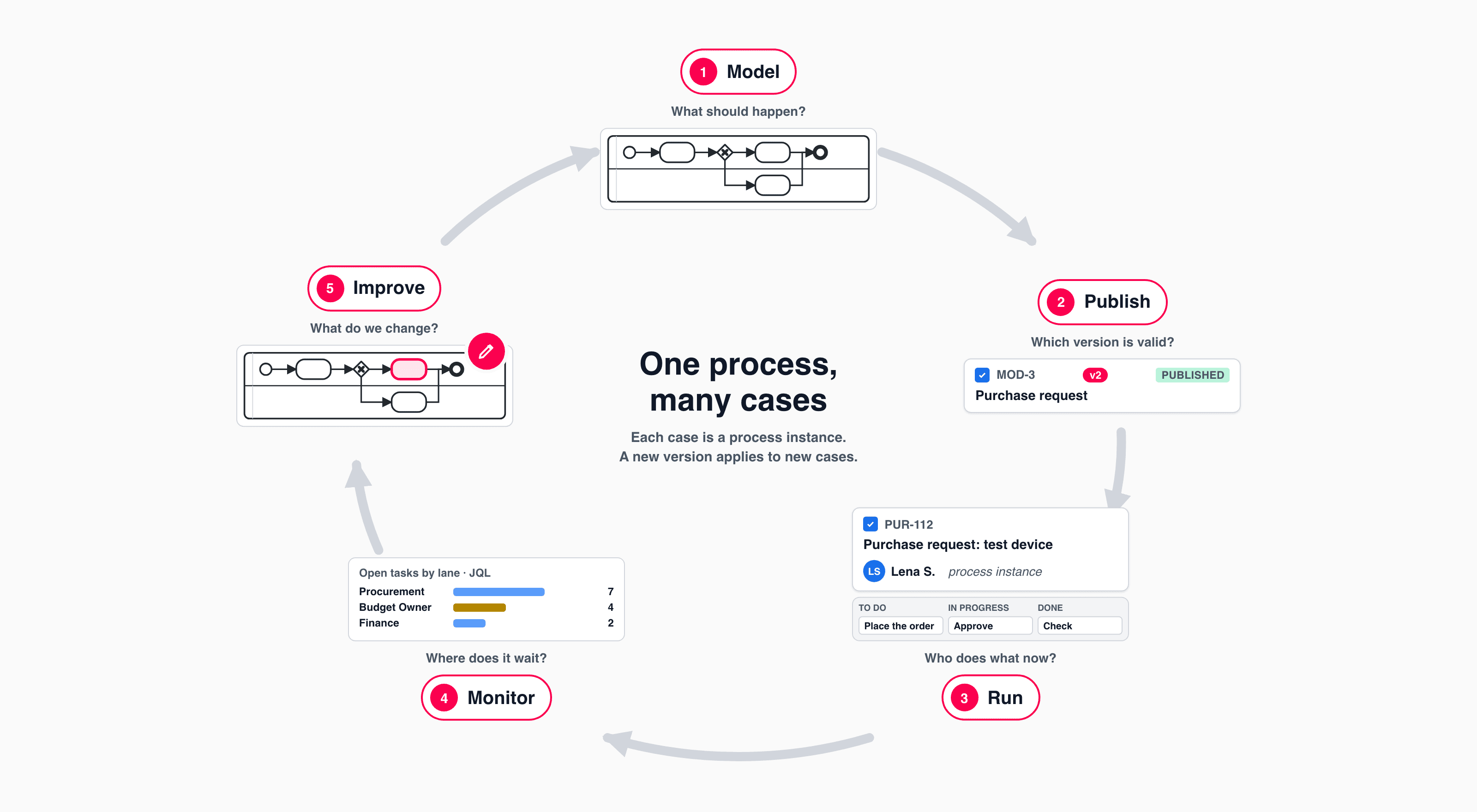
Model, publish, run, monitor, improve. Each case is a process instance; a new version applies to new cases.
Where Do You See the State of One Case?
In the process instance. It is the work item that stands for one run of the process, in the example Lena’s purchase request. It shows:
- The diagram with the status of every task. Done, open, not started yet: one look answers where is my request?
- The assignees per lane, with a link to the work items of each lane.
- The comments of the engine. It writes down what it did: a due date was set, a timer has fired, an automation event was sent.
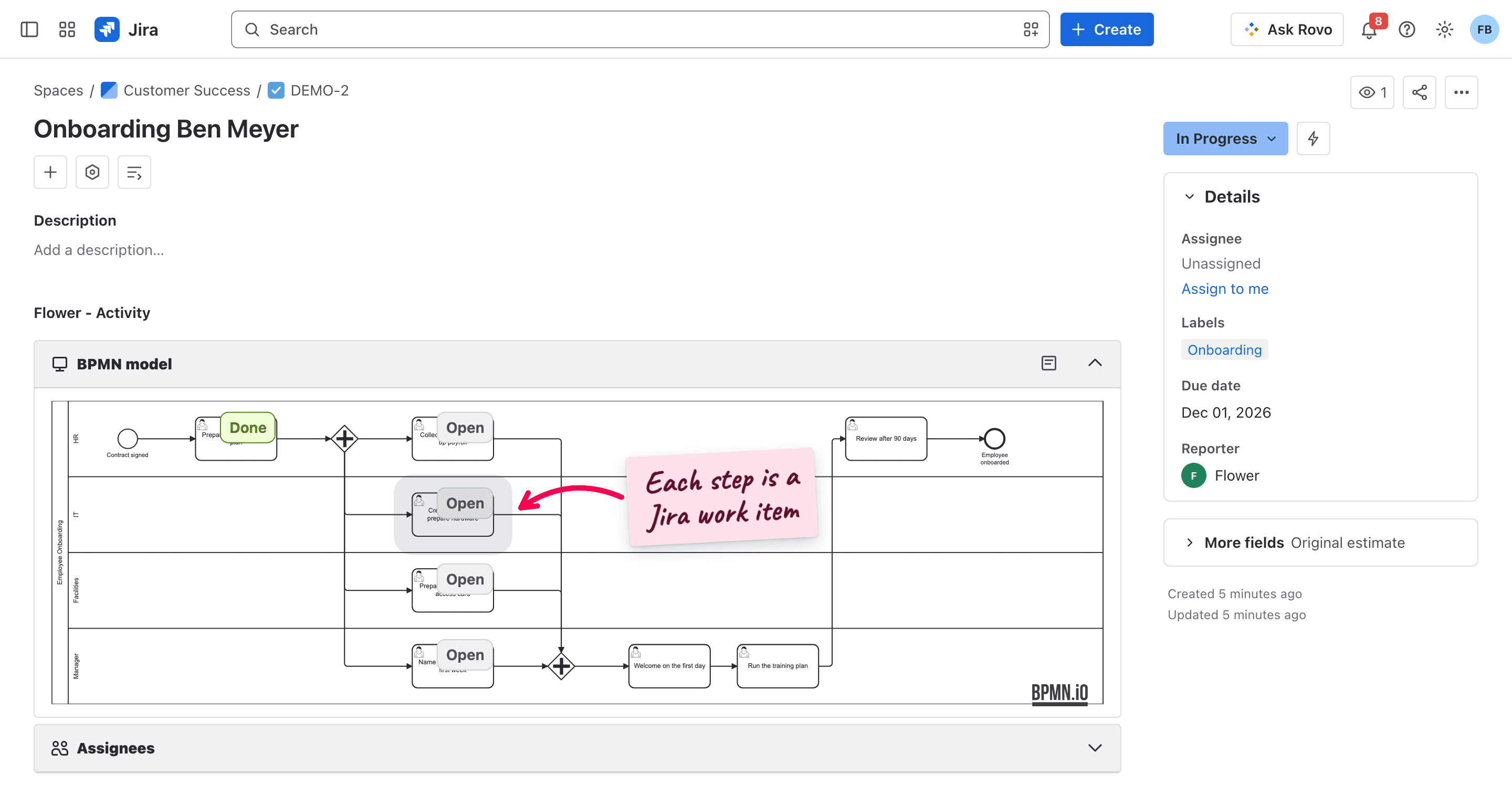
A process instance in Jira, here an employee onboarding: the first task is done, and four work items are open at the same time.
The comments are also the first place to look when a case does not go on. The engine says why, for example:
- a gateway found no flow whose condition is true, and it has no default flow,
- an expression refers to a field that does not exist,
- a work item could not be created, because its work type has a mandatory field that nobody filled in.
At a gateway, you correct the data and resolve the work item again, and the gateway is evaluated once more. The messages are listed in Help.
How Do You Monitor Many Processes with JQL and Dashboards?
Because everything is a work item, the monitor is JQL. The engine adds search fields, and you combine them with the standard ones:
| Question | JQL |
|---|---|
| Which purchase requests are running? | flowerType = "Process Instance" AND flowerModel = YOUR-MODEL-KEY AND resolution is EMPTY |
| What is open in procurement? | flowerLane = "Procurement" AND resolution is EMPTY |
| How many approvals are waiting? | flowerNode = YOUR-ACTIVITY-ID AND resolution is EMPTY |
| What is overdue? | flowerModel = YOUR-MODEL-KEY AND flowerType = Activity AND resolution is EMPTY AND duedate < now() |
| Which cases still run on version 1? | flowerType = "Process Instance" AND flowerModel = YOUR-MODEL-KEY AND flowerVersion = 1 AND resolution is EMPTY |
| What belongs to Lena’s request? | flowerInstance = YOUR-INSTANCE-KEY |
From these queries you build what Jira offers anyway:
- A filter and a board per lane. Each team sees its part of every process on one board and picks up work there.
- A dashboard per process with gadgets on your filters: the running cases, the open work per lane, created against resolved.
- Jira’s reports on a filter, for example the resolution time of the work items of one lane.
For the question where is the bottleneck?, there is a report per model: it counts the open work items per activity.
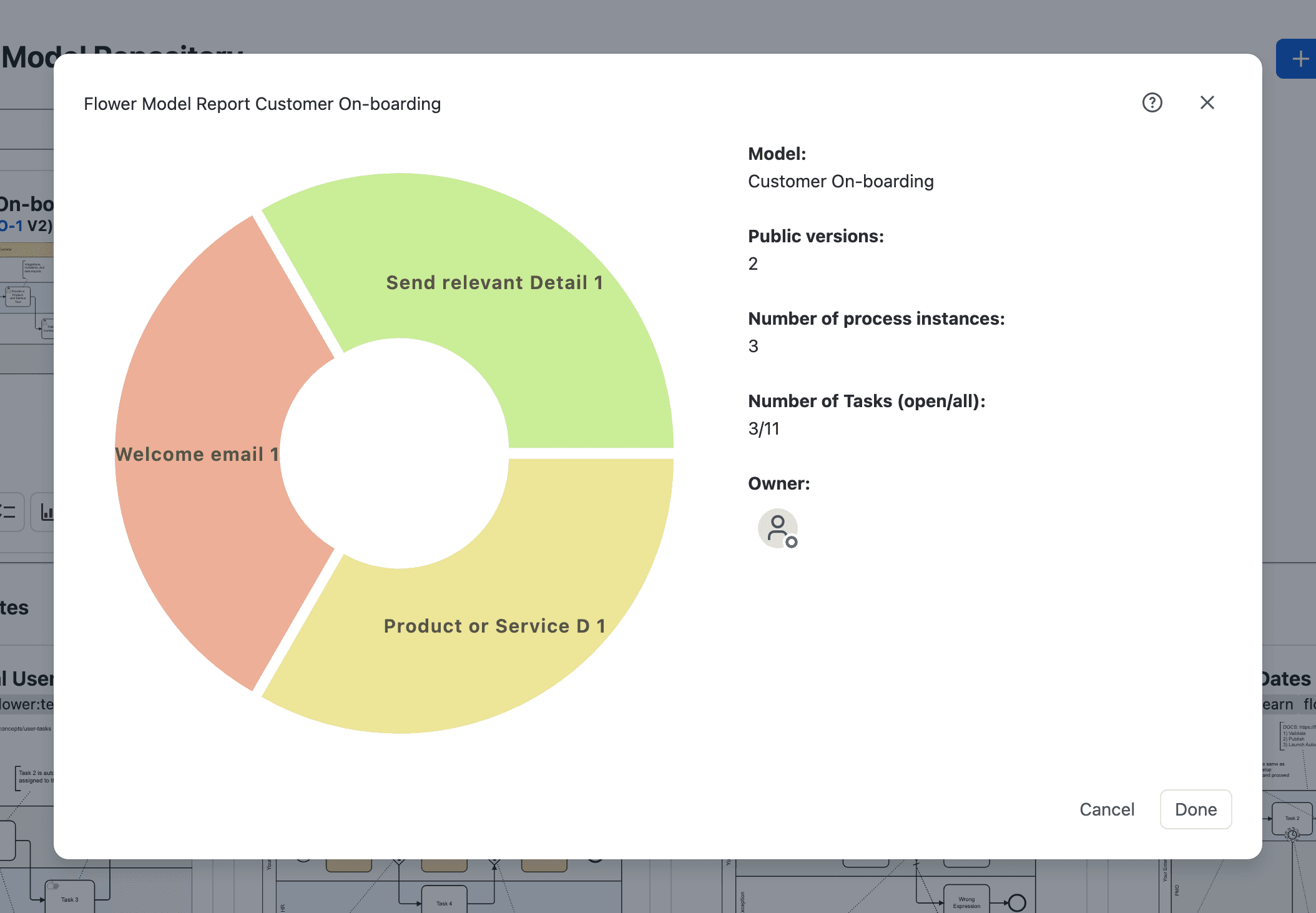
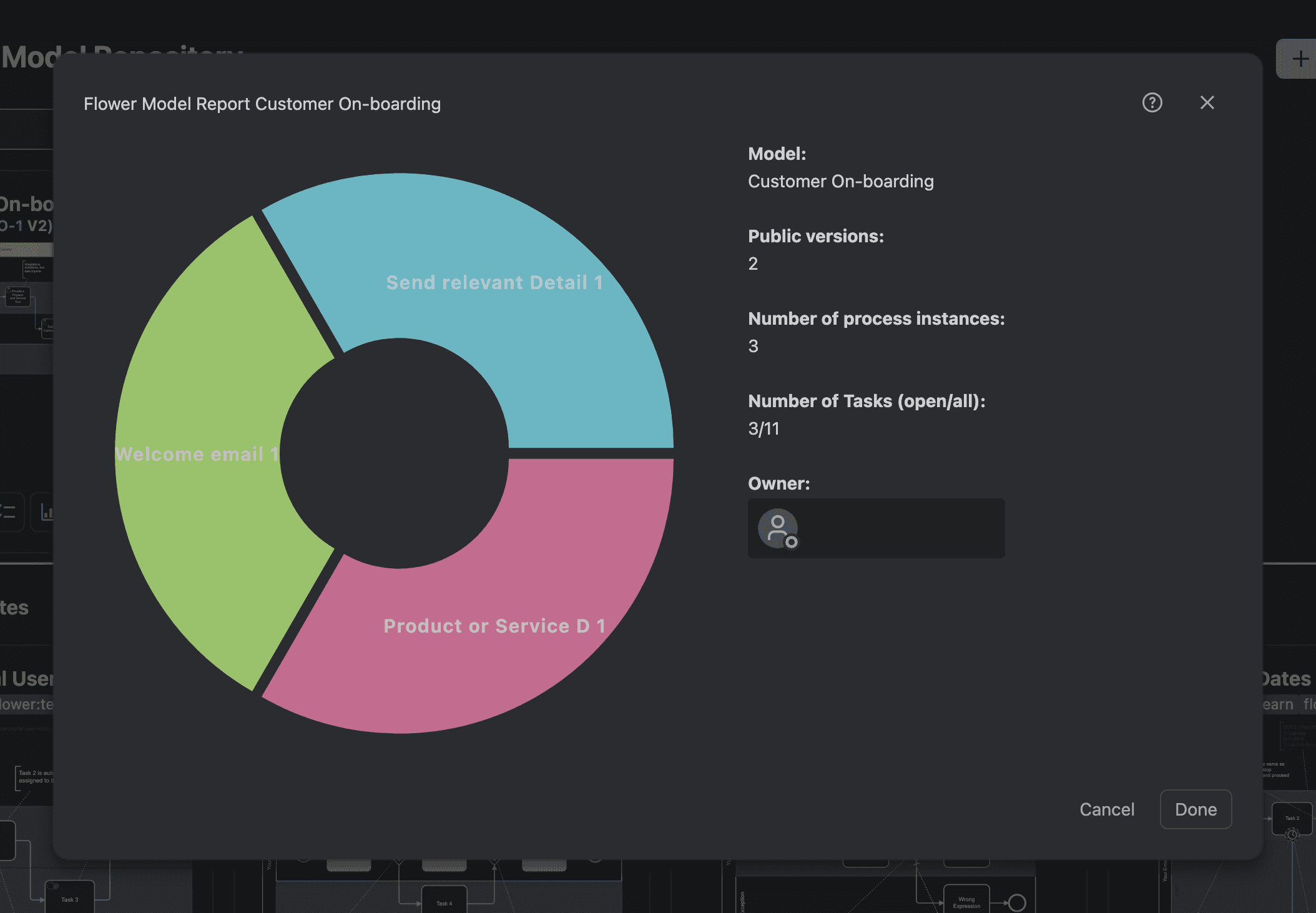
Two things to know when you read the numbers. Every user sees only the work items that Jira lets them see, so two people can get different counts. And in JQL, a sub-process instance is a process instance of the model that was called. All fields and more queries are in Search Flower Data with JQL and Monitor & Optimize.
Who May See and Change What?
There is no second permission model. Whoever can see a work item in Jira can see it in the process, and nobody gets more access through the process than Jira gives.
| Object | Where it lives | What decides |
|---|---|---|
| Models | A space you choose, best a space of their own | The permissions of that space: who sees and edits the models |
| Process instances | The space of the request, or the default space | Who may create and see the cases |
| Tasks | The space of the task, of its lane, or the default | Each team works in its own space with its own permissions |
| App settings | The app | Only Jira administrators change them, including the work type mapping |
One detail matters for processes across spaces: the engine works with its own user. In Jira Cloud this is the app user, in Data Center a Jira user that you configure. So Lena does not need access to the finance space for her request to create a work item there. The history of a work item shows this user as the author of what the engine did, and people under their own names. The other side of it: this user needs the permissions in every space the process uses.
Rules that have proven useful:
- Keep the models in a space of their own, not in a service space.
- Use a mapped work type only to start processes. Every new work item of this type in this space starts a process.
- Give work types that the engine creates no mandatory fields. Nobody fills in a screen when the engine creates a work item.
- Test in a separate space before a model goes live.
For an audit, the trail is already there: the history of the approval work item says who approved and when, the process instance lists what the engine did, and the model keeps every published version. See Permission Handling.
How Does It Fit with Jira Service Management?
A request can be the process instance. The customer submits Purchase request in the portal, Jira creates the work item, and the process starts. Jira Service Management keeps doing its job: the portal, the request type with its form, the queues, the SLAs, and the communication with the requester. The process adds what happens behind the request, in the spaces of the teams.
What to know:
- You map the work type, not the request type. Request types that share a work type start the same process, so give the request type a work type of its own.
- Two kinds of approval. The approval step of a Jira Service Management workflow fits a decision that belongs to the request itself. An approval as a task in a lane fits a decision that another team takes as one step of the process.
- Mandatory fields belong on the form that a person submits, not on work items that the engine creates.
- SLAs can escalate the process. A rule moves a work item into the escalation status when an SLA is breached, and the escalation path starts.
- When the process ends, the request is resolved.
See Jira Service Management and Jira Forms.
What Happens to Running Cases When the Model Changes?
In January the approval limit rises from 1,000 to 2,000. You change the condition and publish. Then:
- New requests start with version 2.
- The forty running requests are not affected. They finish on the version they started with, and
flowerVersionshows which one that is. - Sub-processes follow their own model. A call activity runs the version of the called model that is published at the moment of the call, so finance can improve its invoice process without a new version of the purchase request.
- Old versions stay. You can compare versions and go back to an earlier one.
This makes a change of the model work like a change of a policy: it is valid from now on, and nothing that is in flight changes under the feet of the people who work on it. It also makes small steps cheap. Change one thing, publish, and look at the next cases. Agile Business Process Management describes this cycle.
Cloud or Data Center: What Is Different?
The engine is the same, so a model behaves the same. The differences come from the platform:
| Jira Cloud | Jira Data Center | |
|---|---|---|
| Throw events | Trigger a Jira Automation rule through a property and a comment. No webhooks | Call a webhook URL, also internal addresses |
| Timer job | Once a day, Atlassian chooses the time | When Jira starts, then every 24 hours |
| The engine acts as | The app user | A Jira user you configure, best with a personal access token |
| Settings are stored | With the app on Atlassian’s platform | In your Jira database |
Data Center needs Jira Data Center 11.x. If you plan for several years, include Atlassian’s end-of-life timeline for Data Center in the plan. The complete list is in Limits and Host Differences.
What Are the Limits, and When Is a Dedicated BPM Suite Better?
Next releaseBPMN in Jira is built for processes of people. Know these limits before you start:
- Automatic tasks through Jira Automation. Service, script, send, and business rule tasks run as steps that a Jira Automation rule does; the script of a model never runs. Calls to other systems go through Jira Automation or a webhook.
- Timers work in days. A deadline of two hours fires with the next daily run, not after two hours.
- Messages and signals come through Jira. An outside system reaches a process through a comment with @FlowerBPM, a Jira Automation rule, the REST endpoint on Data Center, or by creating a work item or changing a field.
- No multi-instance tasks, compensation, or transactions. A loop marker runs on tasks only.
- No decision tables. Decisions are expressions on gateways. DMN tables are not evaluated.
- No parameters for sub-processes, and no loop back into a call activity.
- Reporting is Jira’s reporting, plus the report per model.
The current list is in BPMN Coverage and Known Issues.
| Your situation | Better fit |
|---|---|
| The states of one work item in one team | A Jira workflow |
| A reaction to an event: notify, set a field, create a work item | Jira Automation |
| A repeatable process of people in several teams who work in Jira | A BPMN model in Jira |
| Work that happens once and cannot be planned | A space with a board |
| Thousands of short instances between systems, service orchestration, transactions, timing in seconds | A dedicated BPM or workflow engine |
| Participants who do not work in Jira at all | A BPM suite with its own task list |
The two can live together. A dedicated engine can create a Jira work item where a person has to act, and a process in Jira can hand a step to another system through a rule. For the dedicated systems themselves, see Top 20 BPM Software 2026, which compares 20 systems on published facts, including how much of BPMN each engine executes.
A Checklist to Start
- Pick one process that repeats, crosses at least two teams, and regularly gets stuck.
- Draw the normal path with the people who do the work. Name the lanes after roles, not persons.
- Decide where it lives: a space for the models, the spaces of the teams for the tasks, and work types without mandatory fields.
- Check the workflows: the Done transitions set a resolution, and the statuses for cancelled and escalated exist where the model uses them.
- Decide how it starts: the play button, or a work type of its own that is mapped to the model.
- Add the decisions, each with a default flow, and test the expressions with real work items.
- Add one deadline, and remember that timers work in days.
- Validate, simulate, and run a test case in a test space. Run the timer job by hand to see the timeout path.
- Build the monitor before you go live: a board per lane, a dashboard per process, and a person who owns the process.
- Review after four weeks: where did cases wait? Change one thing and publish version 2.
The steps in the app are in Get Started with Modelling and Get Started with Automation. A template, for example Purchase Request, saves the first hour.
Frequently Asked Questions
How do I monitor business processes in Jira?
With JQL. When every process instance and task is a work item, filters, boards, and dashboards show the running cases, the open work per team, and the overdue tasks. The process instance shows the state of one case on its diagram.
Does a BPMN app in Jira need its own permission model?
No, not if it stores models, process instances, and tasks as work items. Then the spaces and the Jira permissions decide who sees and changes what.
Can a Jira Service Management request start a BPMN process?
Yes. The work type of the request type is mapped to a model, and the request becomes the process instance. Portal, queues, and SLAs keep working.
What happens to running process instances when I publish a new version?
Nothing. They finish on the version they started with. New process instances use the new version.
Is Jira with BPMN a replacement for a BPM suite?
For processes that people carry out in Jira, it can be. For system-to-system orchestration at high volume, with transactions or timing in seconds, a dedicated engine fits better.
The Series in Five Sentences
Jira is missing from the analysts’ BPM quadrant for a reason, yet for processes of people it brings most of what a BPM platform needs (part 1). Its workflow ends at the border of one work item, and a business process connects many (part 2). BPMN draws that process so that people can read it and an engine can run it (part 3). With a BPMN engine in Jira the diagram creates and routes the work items, and AI agents can take over steps (part 4). And because everything stays a work item, you operate processes with the Jira you already know.
The next step is small: take one process from the checklist above and draw its normal path.
Related Articles
- Agile Business Process Management with Jira
- The 25 Key Business Processes
- The Approval Process, Steps and Examples
- Limits and Host Differences