Jira Is Not in Gartner's BPM Quadrant. Here Is Why It Is a BPMN Platform Anyway
Open the 2026 Gartner Magic Quadrant for Business Orchestration and Automation Technologies, the report that replaced the old quadrant for BPM suites, and you find 20 vendors. Atlassian is not one of them. You find Atlassian in a different report: the 2026 Magic Quadrant for IT Service Management Platforms, where it is named a Leader.
So is Jira a BPM platform or not? This article argues that the analysts are right about what they measure, and that the question a team should ask is a different one: where should the processes of our people run? For approvals, onboarding, requests, changes, and the decisions between them, the answer is often the tool where those people already work.
In short: Jira is not a BPM suite, and Gartner does not treat it as one. Its BPMN engine comes from the Atlassian Marketplace, not from Atlassian, so a quadrant of vendors’ own platforms does not list it. For processes of human work, Jira already brings most of what a BPM platform needs: work items, roles and permissions, history, reporting, rules, and AI agents. Flower BPM adds the part that is missing, a BPMN 2.0 model that runs, and further apps add forms, documentation, and models from other tools. The result is a BPMN platform for people and AI agents, with clear limits for the orchestration of systems.
Last updated: November 2026
- 1Why Jira Is a BPMN Platform, Even Without a Gartner Quadrant (this article)
- 2Jira Workflow vs. Business Process
- 3Modeling Processes in BPMN
- 4Running BPMN Processes in Jira
- 5Operating and Governing Processes in Jira
Disclosure: the author works for the vendor of Flower, the BPMN app for Jira that this series uses as the engine. Every comparison here uses published facts; the full comparison of 20 systems is in Top 20 BPM Software 2026.
Key Takeaways
- Absent for a reason. The BOAT quadrant evaluates vendors’ own platforms for orchestration and automation. Atlassian sells work and service management, and Gartner lists it for that: as a Leader for IT service management in 2026.
- Most of a BPM platform is already in Jira. Tasks, roles, permissions, history, dashboards, rules, and AI agents are standard. What Jira does not have is an engine that runs a process model across many work items.
- A BPMN engine closes that gap. With Jira & Flower BPM, a BPMN 2.0 model drawn in Jira runs, and every task becomes a Jira work item on the boards the team already uses.
- The ecosystem does the rest. Jira forms or a form builder app, Jira Service Management, Confluence, and BPMN modelers that exchange BPMN 2.0 files fit around the engine.
- People and AI agents in one process. A Rovo agent can do a step of the process, a gateway decides on its answer, and a person takes over when the agent cannot decide.
- Know the limits. Jira & Flower BPM executes a narrower set of BPMN than the large engines, has no process mining or RPA, and is not built to orchestrate services.
Why Is Jira Not in Gartner’s BPM Quadrant?
Gartner retired its Magic Quadrant for Intelligent Business Process Management Suites. Since October 2025, the market is covered by the Magic Quadrant for Business Orchestration and Automation Technologies (BOAT), which Gartner describes as platforms that combine process orchestration, connectivity, and agentic features. The 2026 edition lists 20 vendors, from Appian and Pega to ServiceNow and UiPath. (Gartner ; the list of vendors and the history of the reports are in our comparison.)
Three reasons make Atlassian’s absence expected, not a verdict on Jira:
- Atlassian does not sell a BPM engine. Jira manages work items and their workflows. The engine that runs a BPMN model across many work items comes from a Marketplace app, and a quadrant compares the platforms of the vendors it lists.
- Gartner places Atlassian where its products compete. In the Magic Quadrant for IT Service Management Platforms of 27 July 2026, Atlassian is a Leader with Jira Service Management. (Atlassian, 29 July 2026 )
- BOAT weighs orchestration of systems. Connectivity, integration, and automation of applications are central to the category. Jira’s strength lies elsewhere: in the work of people.
That last point is the interesting one. Atlassian itself has moved Jira toward business teams: in 2024 it combined Jira Software and Jira Work Management into one Jira, which it calls a shared place for every team. (Atlassian, 1 May 2024 ) A large share of business processes is not system integration. It is people who request, check, approve, carry out, and decide, with forms, deadlines, and escalations in between. For that kind of process, the question is not which platform orchestrates the most systems, but which one people actually work in.
What Does a BPMN Platform for Human Work Need?
Take the parts that a BPM platform for processes of people needs, and check where each one comes from in Jira:
| What the process needs | Covered | Already in Jira | Added by Flower BPM | Added by other apps |
|---|---|---|---|---|
| A place where people get their tasks | Yes | Work items on boards, lists, and queues | Every task of the model becomes a work item | – |
| Roles and assignment | Yes | Groups, space roles, assignees | Lanes pass the assignee on at run time | – |
| A process model that runs | Yes | – (a workflow covers one work item) | BPMN 2.0 modeler and engine in Jira | Models from other BPMN tools, imported as BPMN 2.0 files |
| Forms | Yes | Jira forms on work items | A form starts the process; required fields are checked before the next step | Form builder apps |
| Approvals | Yes | Approval steps in Jira Service Management and in business spaces | Approval tasks, with a gateway on the decision | – |
| Decisions | Yes | – | Gateways decide on Jira fields | – |
| Deadlines and escalations | Yes | SLAs in Jira Service Management | Timers set due dates; escalation events hand a decision to a manager | – |
| Rules and integrations | Yes | Jira Automation | A throw event of the model triggers a rule | Integration apps |
| AI agents | Yes | Rovo agents: work items can be assigned to an agent, and a rule can call one | An agent does a step; the gateway decides on its answer | – |
| Permissions and audit | Yes | Spaces, permissions, history of every work item | Models, cases, and tasks are work items under the same permissions | – |
| Monitoring | Yes | JQL, filters, dashboards | Fields for model, lane, activity, and version; the diagram of each case | Reporting apps |
| Documentation | Yes | Confluence | The live diagram on a Confluence page | Diagram apps |
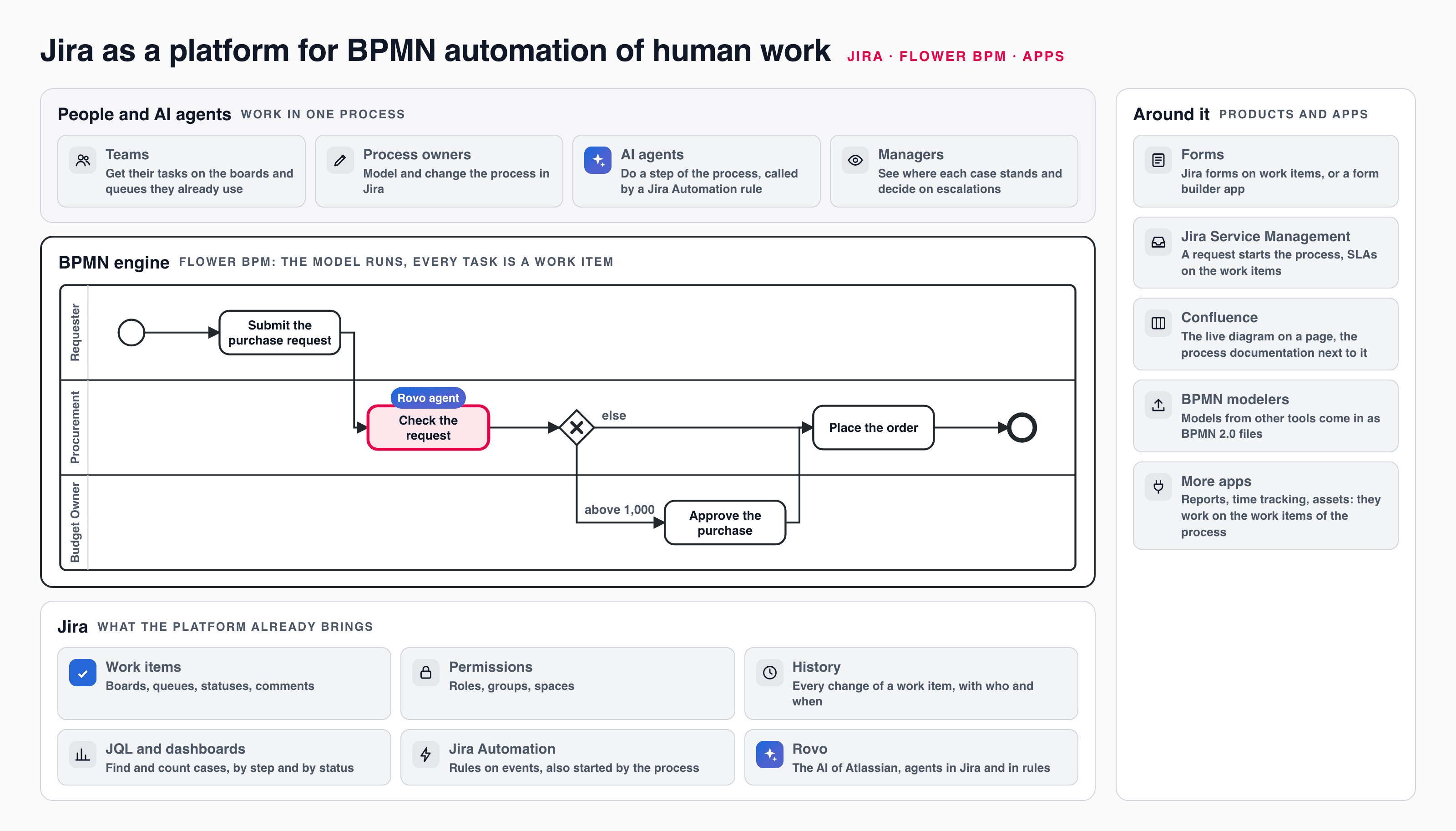
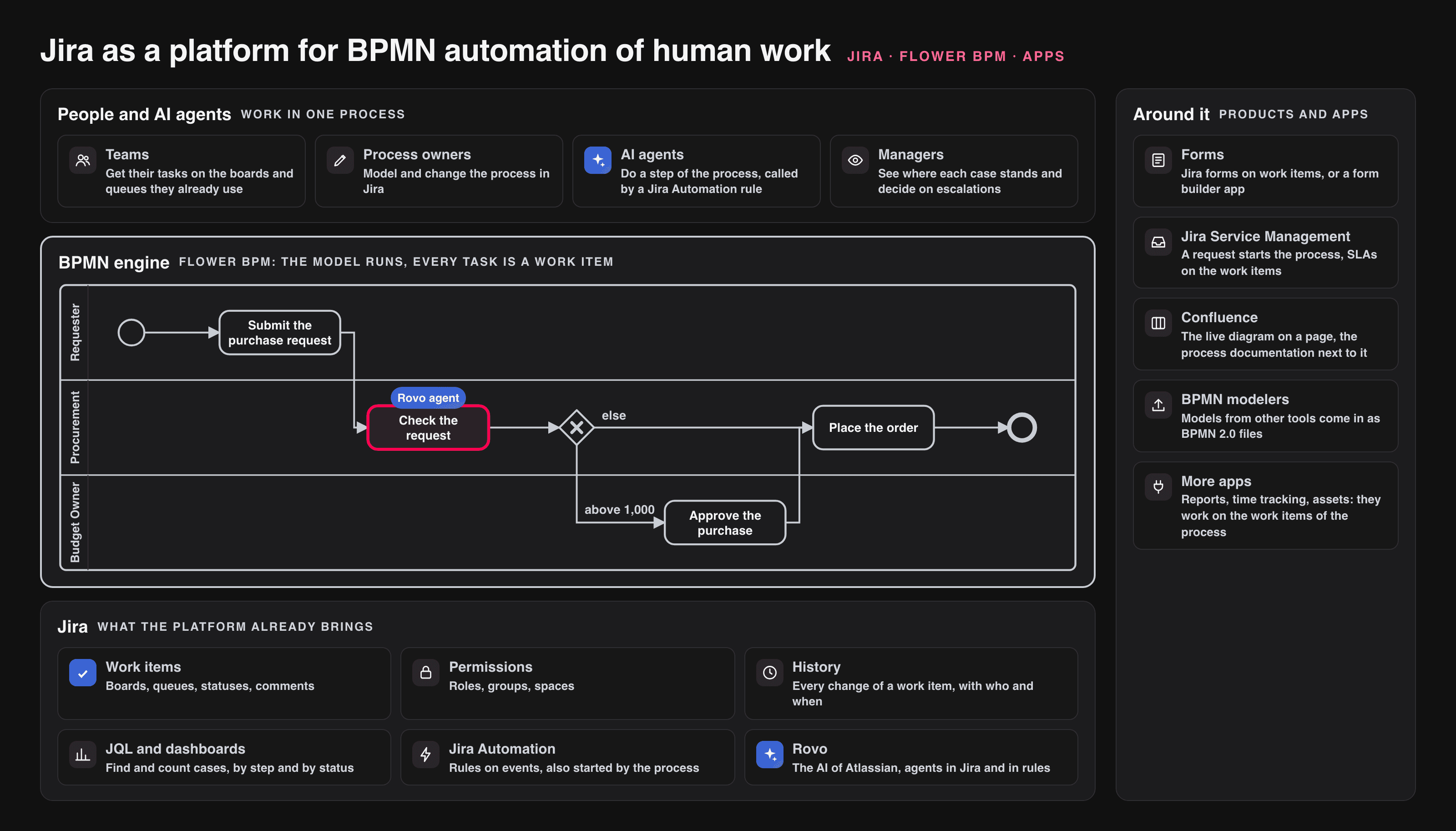
Jira as a BPMN platform: what Jira brings, what the engine adds, and what apps add around it.
Every row is covered, and most of them before any app is installed. That is the argument of this article in one table: Jira is closer to a BPM platform for human work than its absence from the BPM quadrant suggests. The next parts of this series show each row in detail, with one purchase request that runs through all of them.
Why Does Human Work Fit Jira So Well?
Because the task lands where people already are.
In most BPM suites, a person’s task appears in the suite’s own task list or inbox, next to the tools they use all day. That is one more login, one more list to check, and often a connector that copies data back and forth. In Jira & Flower BPM, each task of the process is a Jira work item: on the board, in the queue, in the notifications, with the comments and the history every Jira user knows.
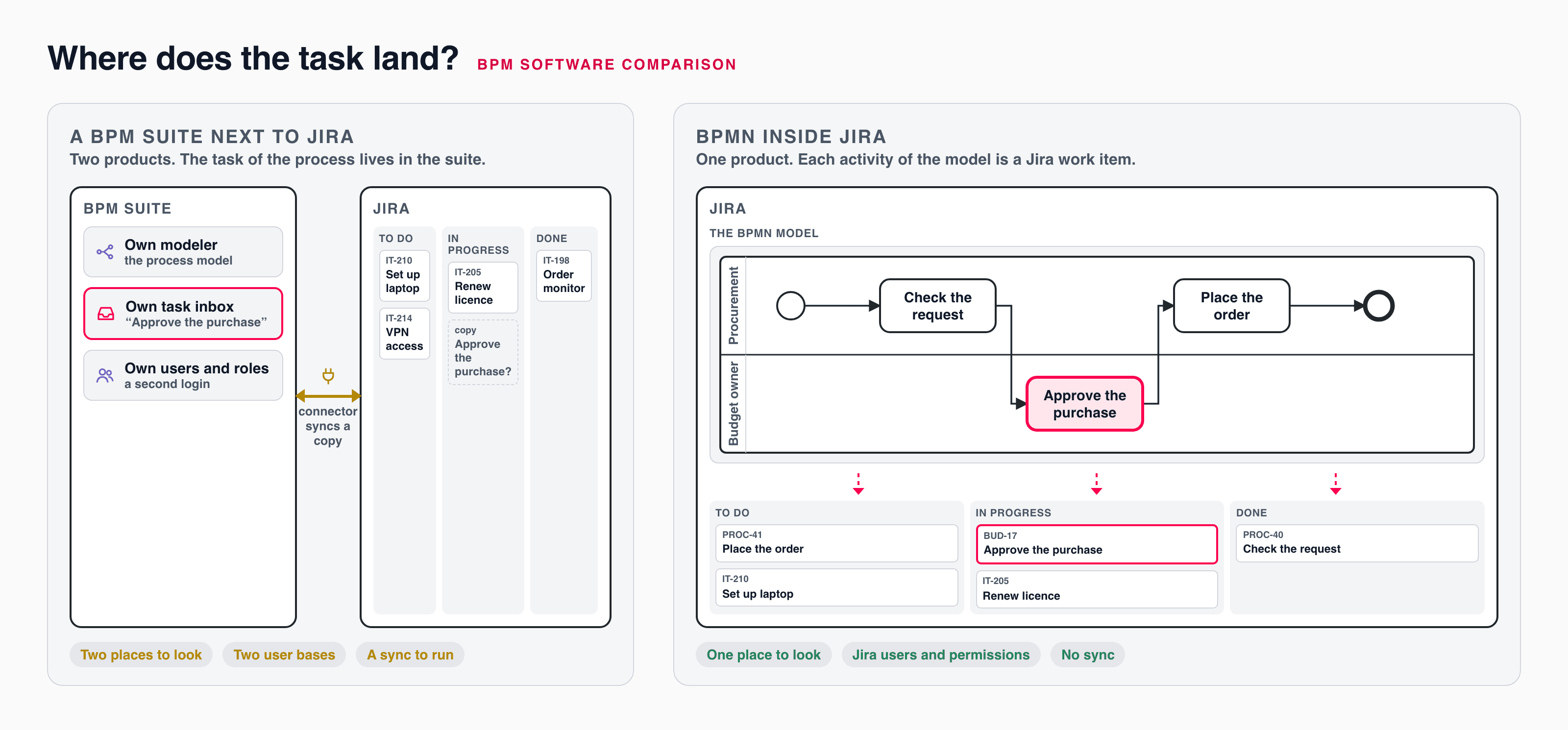
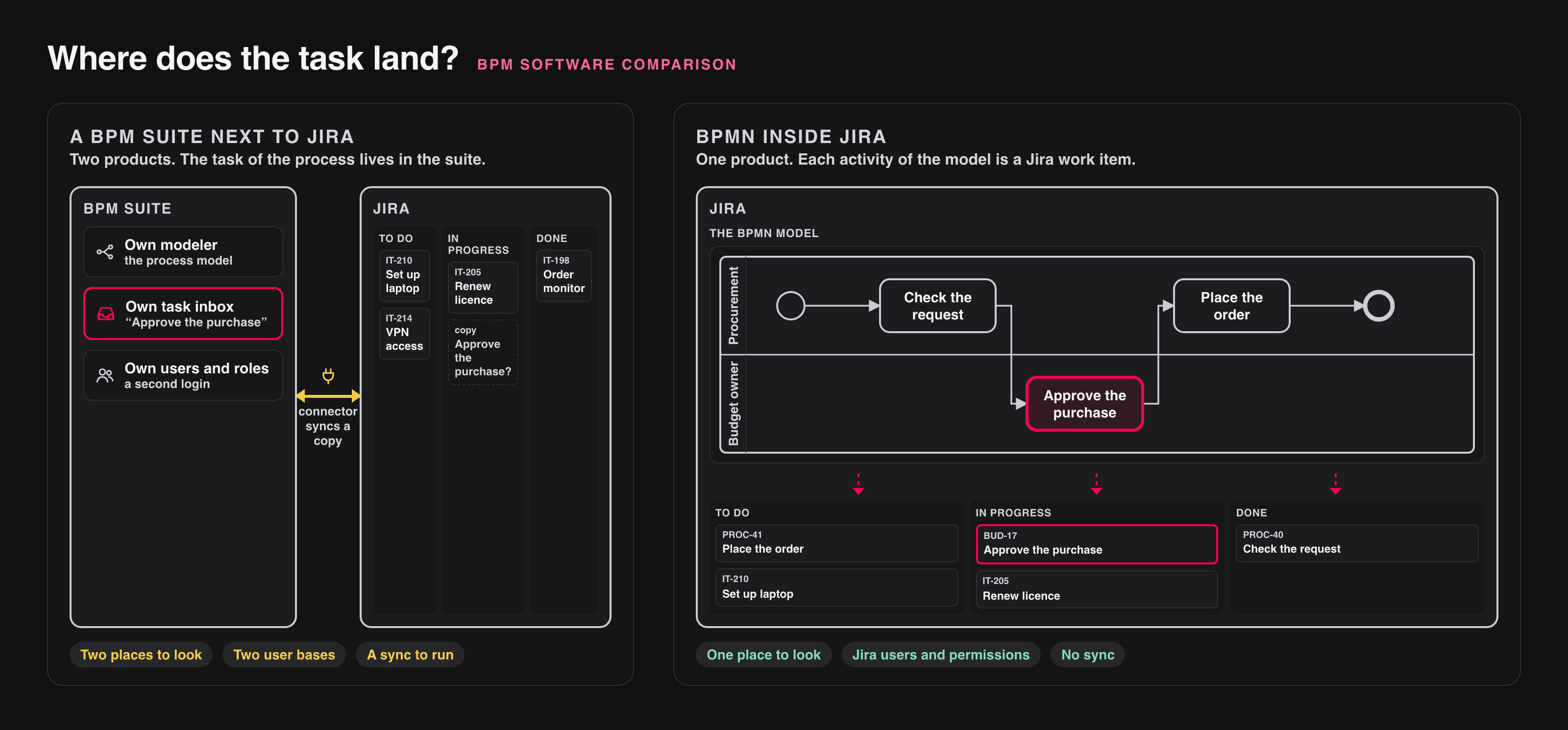
Two architectures: a BPM suite with its own task inbox next to Jira, or a BPMN engine inside Jira, where each activity of the model is a work item.
Four consequences follow:
- No second user base. The people in the process are Jira users with the roles they already have. There is no separate user management and no second permission model.
- The process is visible on the boards. A team sees process tasks and its other work in one place, and a manager sees on the diagram of a case where it stands.
- Everything is reportable with JQL. Process instances and tasks are work items, so filters, dashboards, and the reporting apps of the Marketplace work on them.
- The data stays in Jira. The process data is stored in Jira, under the data residency of the Jira site.
Among the eight engines in our comparison that run a BPMN model themselves, only Jira & Flower BPM puts the task into a work-management tool that teams already use. Two other systems in the comparison put tasks into existing tools, Microsoft Power Automate into Outlook and Teams and ServiceNow into ServiceNow, but neither runs a BPMN model. (Comparison)
Which Apps Complete Jira as a BPMN Platform?
The engine is one app. The platform is the combination.
The BPMN engine: Flower BPM
Flower BPM runs a BPMN 2.0 model drawn inside Jira. Lanes assign the work items, gateways decide on Jira fields, timers set due dates, error and escalation events react to Jira statuses, sub-processes and called models structure larger processes, and throw events trigger Jira Automation rules. See BPMN Coverage for every element and its limits.
Forms
Jira forms are part of Jira. They go back to ProForma, the form builder of ThinkTilt, which Atlassian acquired in 2021. (Atlassian ) A form belongs to a work type and stores its answers on the work item, and a submitted form can create a work item. (Atlassian ) With Jira & Flower BPM, a form can start a process, the tasks use its data, and required fields are checked before the next step. See Jira Forms Meets Flower BPM. Teams that need more, such as forms shared outside Jira, conditional fields, or checklists, add a form builder app from the Marketplace. Examples, in alphabetical order and without a recommendation: Data Forms for Jira (evolu software), Dynamic Forms for Jira (Deviniti), Extension for Jira Service Management (Deviniti), and Smart Forms for Jira (SaaSJet). Where the answers end up in work item fields, the process can use them like those of a Jira form. Check this for the app you choose.
Requests: Jira Service Management
A request in Jira Service Management can be the process instance itself: the customer sees the request in the portal, and the process creates the tasks behind it. SLAs keep measuring on the work items. See Jira Service Management (JSM).
Documentation: Confluence
The free app Flower BPM for Confluence shows a model from Jira on a Confluence page, always in its latest version, next to the written process documentation. See Get Started with Flower BPM for Confluence.
Models from other tools
BPMN 2.0 is a file standard. A model saved as BPMN 2.0 XML in another tool can be imported as a .bpmn file into Flower BPM and run there, within the elements the engine executes. Process analysts can keep their modeling tool, and the result runs where the work happens. See Export and Import Your BPMN File. Examples of tools that write BPMN 2.0 XML:
- Camunda Modeler , a desktop modeler that stores diagrams as BPMN 2.0 XML.
- Lucidchart , which exports
.bpmnfiles from its BPMN 2.0 shape library and has a Jira app . - BPMN Modeler Enterprise (viadee), a Confluence app that exports BPMN XML.
Diagram apps such as draw.io offer BPMN shapes for documentation, but do not export BPMN 2.0 XML (draw.io on GitHub ), so their diagrams cannot be run.
AI Agents in the Process, Next to People
The next wave of process automation is AI agents. The question is not whether an agent can do a task, but who decides when it does it, what happens with its answer, and who steps in when it is unsure. That is what a process model is for.
In Jira, the agent is Rovo, the AI of Atlassian. A task of the BPMN process becomes a work item, a Jira Automation rule calls a Rovo agent for it, writes the answer into the work item, and resolves it. A gateway decides on the answer, an error boundary event sends the doubtful case to a person, and a timer sets the limit. The agent step is a work item with its history, so everybody sees what the agent did. See AI Agent Steps.
This is the kind of AI that a process of human work needs: agents that take over steps, inside a model that keeps people in charge.
Where the Analysts Have a Point: The Limits
Next releaseA platform for human work is not a platform for everything. Before you choose Jira as your BPMN platform, check these limits:
- BPMN coverage. Jira & Flower BPM executes most BPMN elements, but not all: no multi-instance markers, transactions, or compensation, and a loop marker runs on tasks only. Our comparison counts every element for eight engines. (Who Runs Processes, and Who Runs BPMN?)
- Systems orchestration. Service and script tasks run as steps that a Jira Automation rule does; the script of a model never runs. Calls to other systems go through Jira Automation rules and web services. If most steps of a process are system calls at high volume, an orchestration engine fits better.
- Process mining and RPA. There is no process mining and no RPA robot. Rovo agents are not screen robots.
- Hosting. On Jira Cloud the engine runs on the Atlassian platform. Self-managed operation is only possible on Jira Data Center, which Atlassian ends in March 2029.
If these limits do not touch your processes, they are no reason to add a second platform. If they do, the comparison names the systems that cover them.
When Is Jira the Right BPMN Platform?
Jira is a good BPMN platform when most of these statements hold:
- The work of the process is done by people, with some steps for AI agents and rules.
- The people involved already work in Jira or Jira Service Management.
- You want the BPMN model to run, not only to document it.
- Permissions, history, and reporting should stay in one system.
- The process needs the BPMN elements that the engine executes: check the coverage against your model.
It is the wrong choice when systems do most of the work, when you need process mining or robots, or when your processes depend on multi-instance activities today.
Frequently Asked Questions
Is Jira in the Gartner Magic Quadrant?
Yes, but not for BPM. Atlassian is a Leader in the 2026 Gartner Magic Quadrant for IT Service Management Platforms. It is not in the 2026 Magic Quadrant for Business Orchestration and Automation Technologies, the successor of the quadrant for BPM suites.
Is Jira a BPM tool?
Jira alone manages work items and their workflows, which covers one work item at a time. With a BPMN engine such as Flower BPM, Jira also models and runs business processes across many work items, in BPMN 2.0.
Can Jira run BPMN 2.0 models?
With a BPMN engine such as Flower BPM, yes. Part 3 explains the elements and how each one becomes work in Jira.
Which apps do I need to use Jira as a BPMN platform?
The BPMN engine is the one app you need. Jira forms, Jira Automation, Rovo, and Jira Service Management are Atlassian products. Form builder, reporting, and diagram apps are optional and work on the same work items.
Can AI agents do steps of a process in Jira?
Yes. A Jira Automation rule can call a Rovo agent for the work item of a task, and the process goes on with the agent’s answer. A gateway decides on it, and a person takes over when the agent cannot decide. See AI Agent Steps.
Does Jira replace a BPM suite?
For processes of human work in teams that use Jira, often yes; for the orchestration of systems at volume, process mining, or robots, no. Part 5 names the limits in detail, and Top 20 BPM Software 2026 compares 20 systems on the same facts.
What Comes Next
So far this was the view from outside: which platform, which apps, which limits. The rest of the series looks from inside, with one example: Lena’s purchase request for a test device, which passes procurement, the budget owner, and finance.
Part 2 starts where every Jira admin starts: with the Jira workflow. It shows where the workflow ends, what a business process adds, and the purchase request built three ways.
Related Articles
- Top 20 BPM Software 2026: Which Platforms Really Automate BPMN?
- AI Agent Steps: People and AI Agents in One BPMN Process
- Jira Forms Meets Flower BPM
About Jira & Flower BPM
Jira & Flower BPM is Jira with the app Flower BPM, listed in the Atlassian Marketplace as Flower – Business Process & Workflow Automation (BPMN) for Jira, for Jira Cloud and Jira Data Center. You model business processes in BPMN 2.0 and run them in Jira: for every activity of a process, a Jira work item is created, assigned through swimlanes, shown with its status in the process diagram, and the process continues when the work item is resolved. All process data stays in Jira, so your permissions, boards, and reports keep working.
Start a free 30-day trial on the Atlassian Marketplace or follow the Get Started guide.