BPMN
In short: BPMN (Business Process Model and Notation) is the open standard for drawing business processes. A BPMN diagram shows who does what, in which order, and what happens when something goes differently. This reference explains the BPMN 2.0 elements. For each one it also says what Flower does with it in Jira, because in Flower a diagram is not only a picture: it runs.
The Elements of BPMN
BPMN has five kinds of elements. Each kind has its own shape, so you can read a diagram before you know the details.
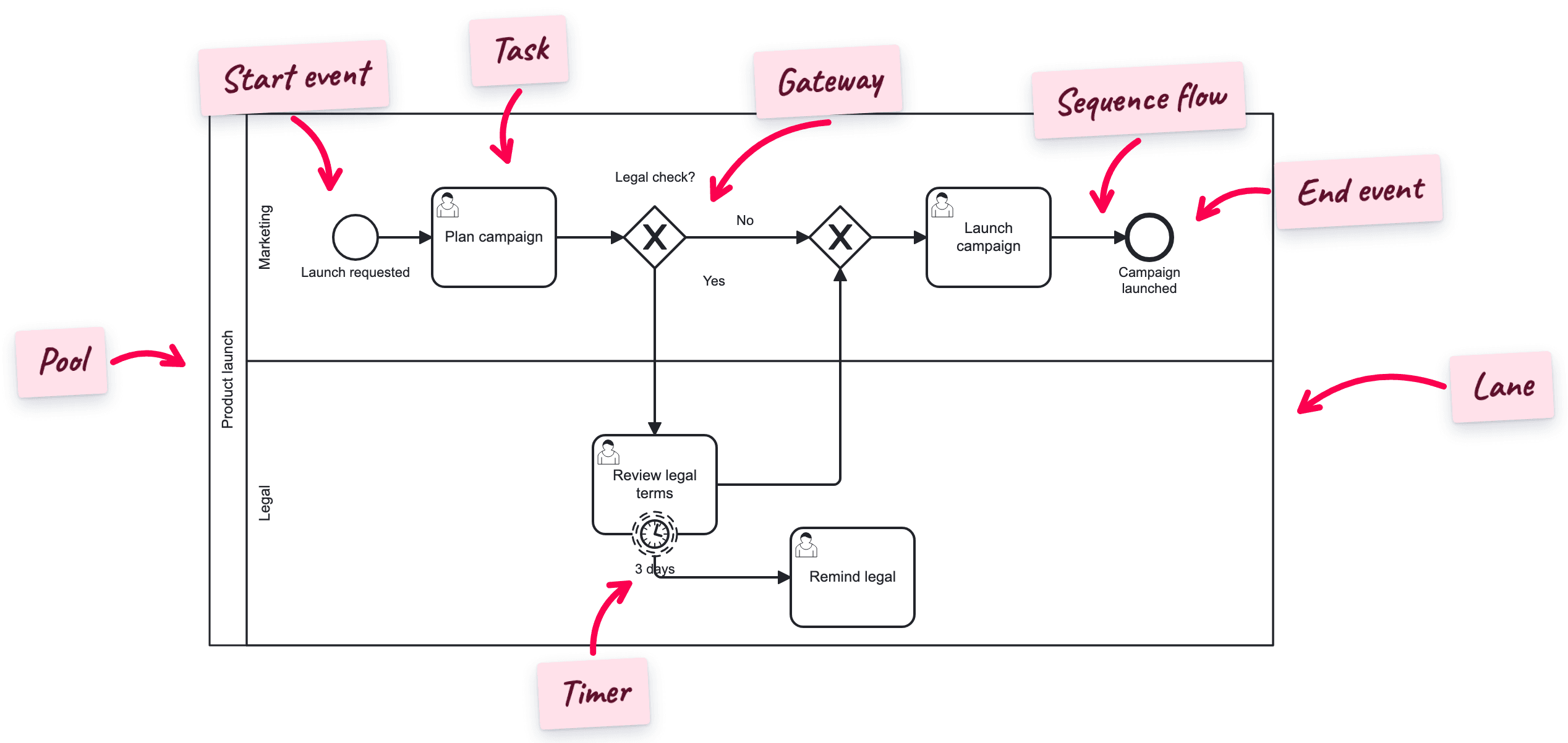
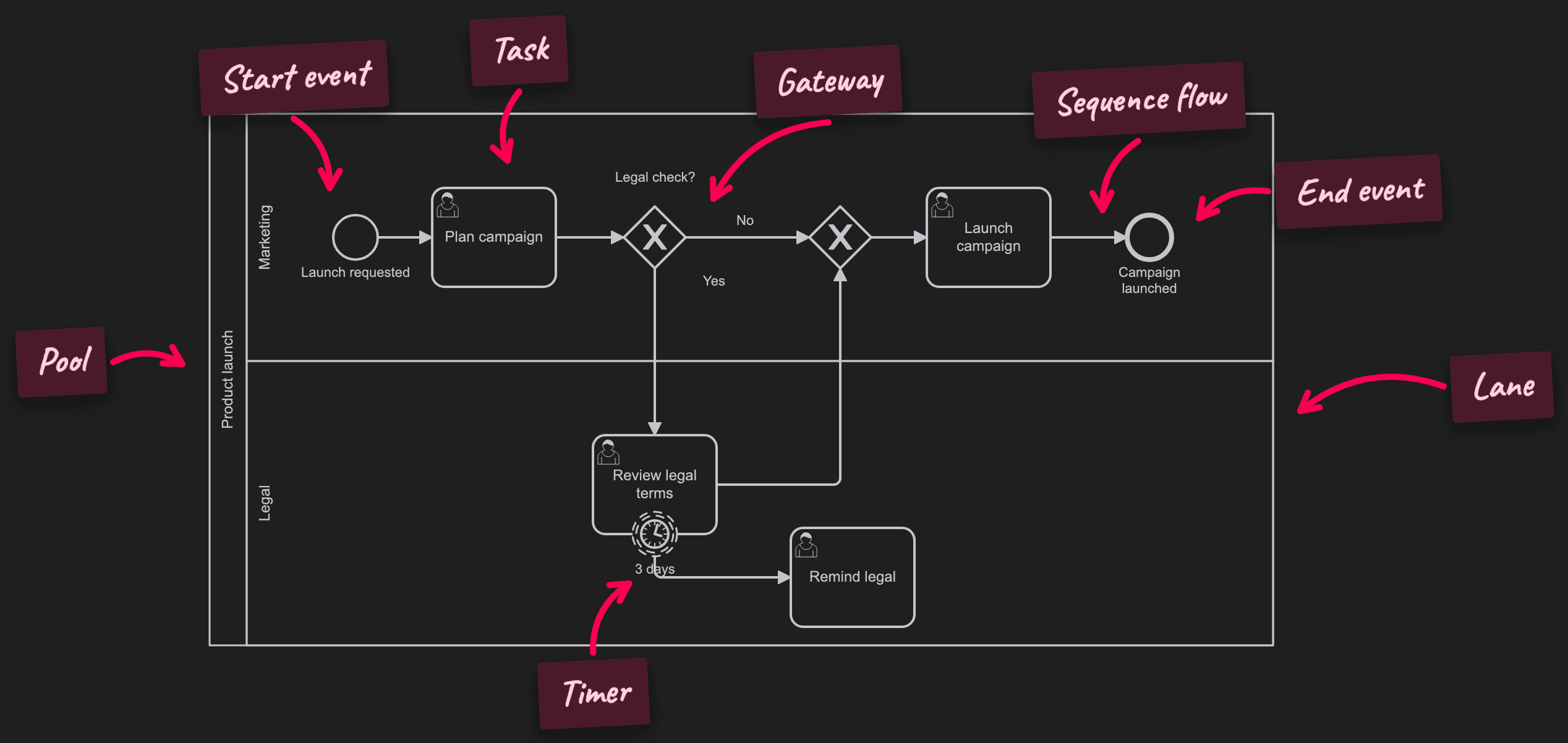
| Kind | Shape | What it says | In Flower and Jira | Read more |
|---|---|---|---|---|
| Participants | Boxes around the process | Who is responsible: a pool is an organization or a system, a lane is a role or a team | The lane sets the assignee of the work items in it | Pools and Lanes |
| Activities | Rounded rectangles | The work: a task is one step, a sub-process is a group of steps | Each task becomes a Jira work item | BPMN Tasks |
| Gateways | Diamonds | Where the flow splits and joins: one path, all paths, or some paths | Conditions read the fields of your work items | BPMN Gateways |
| Events | Circles | What happens: a start, an end, a deadline, a message | Timers set due dates, a Jira status can raise an error or an escalation, throw events trigger Jira Automation | BPMN Events |
| Flows and data | Arrows, documents, notes | The order of the steps, the messages between participants, and the information they use | Sequence flows move the process, data objects and notes document it | Flows, Data and Artifacts |
BPMN Symbols at a Glance
The symbols you meet in most diagrams. The last column says what happens when a process that Flower runs reaches the element.
Participants
Rules, the black box pool, and common mistakes: BPMN Pools and Lanes.
| Symbol | Element | Meaning | In Flower and Jira |
|---|---|---|---|
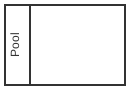 | Pool | One participant of the process, for example a company or a department. Each pool holds its own process | Flower runs all pools of a model in one process instance. See Message Flows |
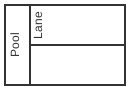 | Lane | A role or a team inside the pool. Every step sits in exactly one lane | The work items of a lane get the same assignee. Reassign one, and the open work items of the lane follow. See Swimlanes |
Tasks and Sub-Processes
| Symbol | Element | Meaning | In Flower and Jira |
|---|---|---|---|
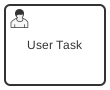 | User task | Work that a person does with the help of software | Creates a work item. The process waits until it is resolved. See User Tasks |
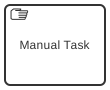 | Manual task | Work that a person does without software | Creates a work item |
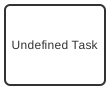 | Task (no type) | A step whose type is left open | Creates a work item |
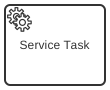 | Service, script, send, receive, business rule task | Work that a system does | Can be modeled, is ignored during execution. A throw event can trigger Jira Automation instead |
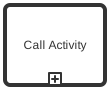 | Call activity | Calls another process model | Runs the other model as a sub-process |
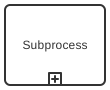 | Embedded sub-process | A group of steps drawn inside one box | Graphical only: it structures the diagram |
All task types in detail: BPMN Tasks. Loop and multi-instance: BPMN Markers. Embedded sub-process, call activity, event sub-process, and ad-hoc: BPMN Sub-Processes.
Gateways
| Symbol | Element | Meaning | In Flower and Jira |
|---|---|---|---|
 | Exclusive gateway (XOR) | Exactly one of the outgoing paths is taken | Takes the first path whose condition is true, else the default flow |
 | Parallel gateway (AND) | All outgoing paths start at the same time. As a join it waits for all of them | Starts all paths at once and waits for all of them at the join |
 | Inclusive gateway (OR) | Every path whose condition is true is taken | Supported as a split |
 | Event-based and complex gateway | The first event that happens decides, or a custom rule | Can be modeled, is ignored during execution |
Conditions, default flows, and examples: BPMN Gateways and Decision Handling in Gateways.
Events
| Symbol | Element | Meaning | In Flower and Jira |
|---|---|---|---|
 | Start event | Where the process begins | A process instance starts here |
 | End event | Where one path of the process ends | The path ends. Other paths go on |
 | Terminate end event | Ends the whole process at once | Ends the process and closes all open work items. See Terminate End |
 | Timer boundary event | A deadline on a task | Sets the due date of the work item and starts a timeout path. See Set Due Dates with Timer Events |
 | Error boundary event | The task failed | The work item is resolved in an error status such as Cancelled: the process takes the error path. From Flower 3.7.0. See BPMN Error Events |
 | Escalation boundary event | The task needs the attention of someone else | The work item is moved into a status such as Escalated: the escalation path starts while the work goes on. From Flower 3.7.0. See BPMN Escalation Events |
 | Conditional boundary event | A condition is true | Checked when the work item is resolved, for example the resolution Rejected. From Flower 3.7.0. See BPMN Conditional Events |
   | Message, signal, escalation, and link throw event | The process sends something | Triggers a Jira Automation rule or calls a webhook. See Triggering Jira Automation with BPMN Events |
 | Catch events | The process waits for something | A message from another pool of the same model arrives over a message flow. Other catch events can be modeled and are ignored during execution |
All event types and positions: BPMN Events. Dates, durations, and cycles: BPMN Timer Events.
Flows, Data, and Artifacts
| Symbol | Element | Meaning | In Flower and Jira |
|---|---|---|---|
| Solid arrow | Sequence flow | The order of the steps inside a pool | The token follows it |
| Arrow with a slash | Default flow | The path a gateway takes when no condition is true | Taken when no condition is fulfilled |
| Dashed arrow | Message flow | A message between two pools | Delivers the message to the other pool. See Message Flows |
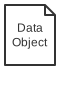 | Data object, data store | The information a step reads or writes | Documentation only. The data of a process lives in the fields of its work items |
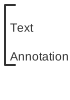 | Text annotation, group | A note for the reader | Documentation only |
The arrows in detail: BPMN Flows. Data objects, annotations, and groups: BPMN Data and Artifacts.
Every symbol of the standard, with its status in Flower: BPMN Coverage in Jira.
How a BPMN Model Runs in Jira
BPMN describes a running process with a token: a marker that travels along the sequence flows and shows where the process is. Flower moves this token through your model and turns each stop into something in Jira.
- Start. You start a process instance. It is a Jira work item of its own, and a token sits on the start event.
- Task. The token reaches a task. Flower creates a work item in the space and with the work type you chose in the model. The lane decides who gets it.
- Work. The work item moves through its own Jira workflow. The team works as it always does.
- Done. The work item is resolved. The token moves on.
- Gateway. The token reaches a gateway. Flower checks the conditions against the fields of the work items and takes the matching paths.
- Deadline. A timer on a task sets the due date. When it passes, the timeout path starts.
- End. The token reaches an end event. When no token is left, the process instance is complete.
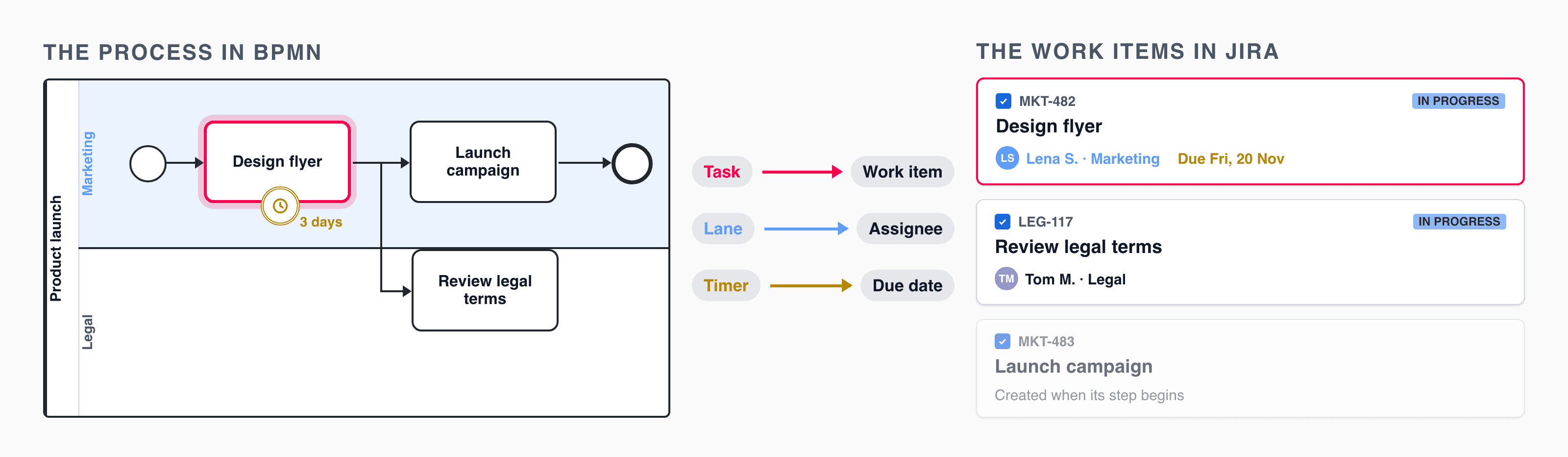
So the BPMN model is the big picture, and every box in it is a Jira work item with the workflow its team already uses.
The building blocks that return in almost every process, such as parallel work, loops, and deadlines, are collected in BPMN Workflow Patterns.
Where to Start
- New to BPMN: read What Is BPMN?, then BPMN Gateways and Workflow Patterns. Avoid the usual traps with 11 Common BPMN Modeling Mistakes.
- You know BPMN and are new to Flower: check BPMN Coverage in Jira to see what is executed, then build your first model in Get Started with Modelling.
- You have BPMN files from another tool: see Export and Import Your BPMN File.
- You look for a term: the BPMN Glossary has the definitions from A to Z.
- You want to set it up: the guides show each feature with a short animation and step-by-step instructions.
All Pages of the BPMN Reference
Frequently Asked Questions
What is BPMN?
BPMN (Business Process Model and Notation) is a standard notation for business process diagrams. The Object Management Group (OMG) maintains it, and it is also the ISO standard ISO/IEC 19510. The current version is BPMN 2.0.
What are the basic elements of BPMN?
Participants (pools and lanes), activities (tasks and sub-processes), gateways, events, and connecting objects (sequence flows and message flows). Data objects and artifacts such as text annotations add information for the reader.
Can BPMN diagrams be executed?
Yes. BPMN 2.0 defines how a process engine runs a model. Flower is such an engine inside Jira: it creates a Jira work item for each task and moves the process on when the work item is resolved.
Does Flower support all BPMN elements?
You can model every BPMN 2.0 element in Flower. Flower executes the elements that matter for work done by people: tasks, call activities, exclusive, parallel, and inclusive gateways, timer, error, escalation, and conditional boundary events, throw events, and terminate end events. The others stay in the model and are ignored during execution. See BPMN Coverage in Jira.
What is the difference between a BPMN process and a Jira workflow?
A Jira workflow describes the statuses of one work item. A BPMN process describes how many work items, often of several teams, depend on each other. Flower connects the two: the process creates the work items, and each work item follows its own Jira workflow.